How to Create Viral Reels with Sora 2 AI
Learn how to create Instagram Reels that captivate audiences. Our guide covers planning, filming, editing with Sora 2, and optimizing for viral reach.
Making an Instagram Reel that truly takes off isn't just a stroke of luck—it's the result of a smart, repeatable strategy. The whole game breaks down into four critical phases: coming up with the idea (ideation), actually making the video (production), getting it ready for the algorithm (optimization), and finally, seeing what worked (analysis).
This modern approach blends classic social media know-how with powerful AI tools, letting you turn simple text prompts into video clips that make people stop scrolling using the Sora 2 video generator.
The Blueprint for Creating Viral Reels with AI
If you want to grow your brand on Instagram, learning how to create Reels is non-negotiable. Short-form video is still the king of content, consistently delivering a better return on investment than any static image or carousel post ever could. For anyone running a Shopify store or creating content, getting good at Reels using AI tools is a massive competitive advantage.
The real magic of Reels is their ability to create a genuine connection. You don't need a Hollywood-level budget or a perfectly polished script. In fact, some of the most successful Reels mix authentic footage with stunning AI-generated visuals. It’s about being relatable and visually captivating.
A Modern Workflow for Viral Content
Today's savvy creators are weaving AI into their process to get things done faster and better. Forget spending hours trying to brainstorm or film the perfect shot. With AI video generators like Sora 2, you can create unique, cinematic B-roll from nothing more than a text description.
This frees you up to focus on what really matters: crafting a hook that grabs attention in the first three seconds or a call-to-action that actually converts. Let the Sora 2 text-to-video model handle the heavy lifting on the visual side.
Imagine typing "a customer happily unboxing a skincare product in a sunlit room" and getting a professional-quality video clip moments later, all without a camera. That's what's possible now.
The secret to going viral isn't about being perfect; it's about being relatable. Reels that capture real moments and emotions, paired with a clear message and stunning AI visuals, almost always outperform content that's polished but feels cold and corporate.
This process can feel like a lot, but breaking it down makes it manageable. We'll walk through this simple, four-phase system that turns a fleeting idea into a well-oiled, viral-ready Reel.
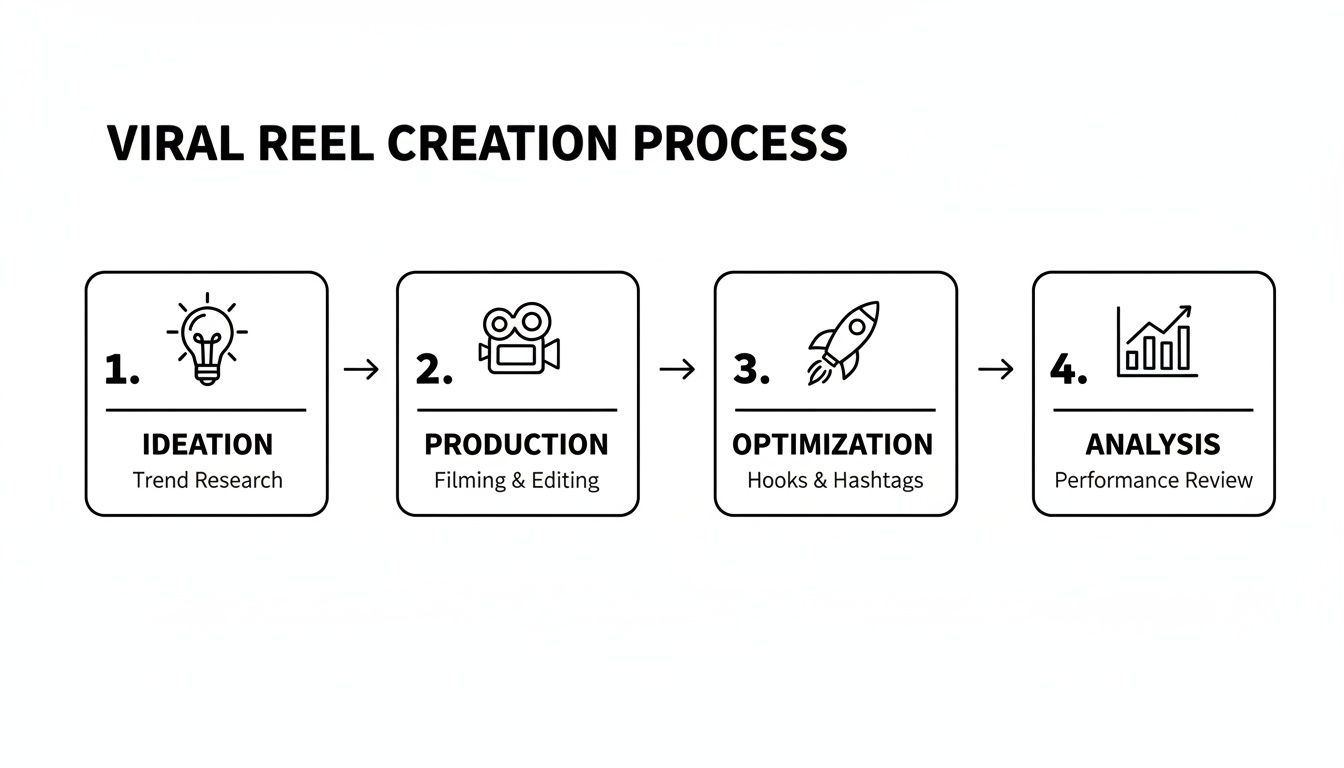
Here’s a quick overview of how these pieces fit together.
The Four Phases of Viral Reel Creation
A summary of the essential steps for producing a successful Instagram Reel from start to finish.
| Phase | Key Action | Why It Matters |
|---|---|---|
| Ideation | Brainstorming hooks, finding trending audio, and scripting the concept. | A great idea is the foundation. Without a strong concept, even the best AI video won't save it. |
| Production | Filming clips or generating them with AI tools like Sora 2. | High-quality, engaging visuals are what stop the scroll and keep viewers watching. |
| Optimization | Editing, adding captions, writing a compelling description, and using hashtags. | This step makes your content discoverable and accessible, telling the algorithm who to show it to. |
| Analysis | Tracking metrics like views, shares, and comments to see what worked. | Data tells you what your audience loves, so you can make more of it and less of what they don't. |
By following this structure, you're not just throwing content at the wall and hoping it sticks. You're building every Reel with purpose.
If you need a creative spark to get started, check out these viral IG Reels ideas designed to hook viewers from the very first second. Now, let’s dive into each step of this blueprint in detail, giving you a clear framework to produce incredible Reels every single time.
Planning Your Reel Before You Hit Record
Let's be honest: the best Instagram Reels—the ones that feel fun and spontaneous—are rarely accidental. Behind that effortless vibe is usually a solid plan. Think of this pre-production phase as building the foundation for a video that doesn't just look cool but actually connects with your audience and has a point.
Sure, you can always wing it, but a little planning saves you from the headache of a dozen retakes and a final video that feels all over the place. It all boils down to one powerful idea. What’s the single thing you want someone to think, feel, or do after watching? Whether it's to laugh, learn a quick hack, or see Sora 2 video examples in action, nailing down your core message is everything.
This is also the perfect time to get a feel for what’s already popping off on the platform. Go for a scroll through your feed and the Reels tab. Pay attention to trending audio—look for that little arrow icon next to a sound, which means it’s on the rise. The trick isn't to just copy a trend, but to ask yourself how you can spin it to fit your own brand and AI video marketing strategy.
Turning Your Idea Into a Visual Storyboard
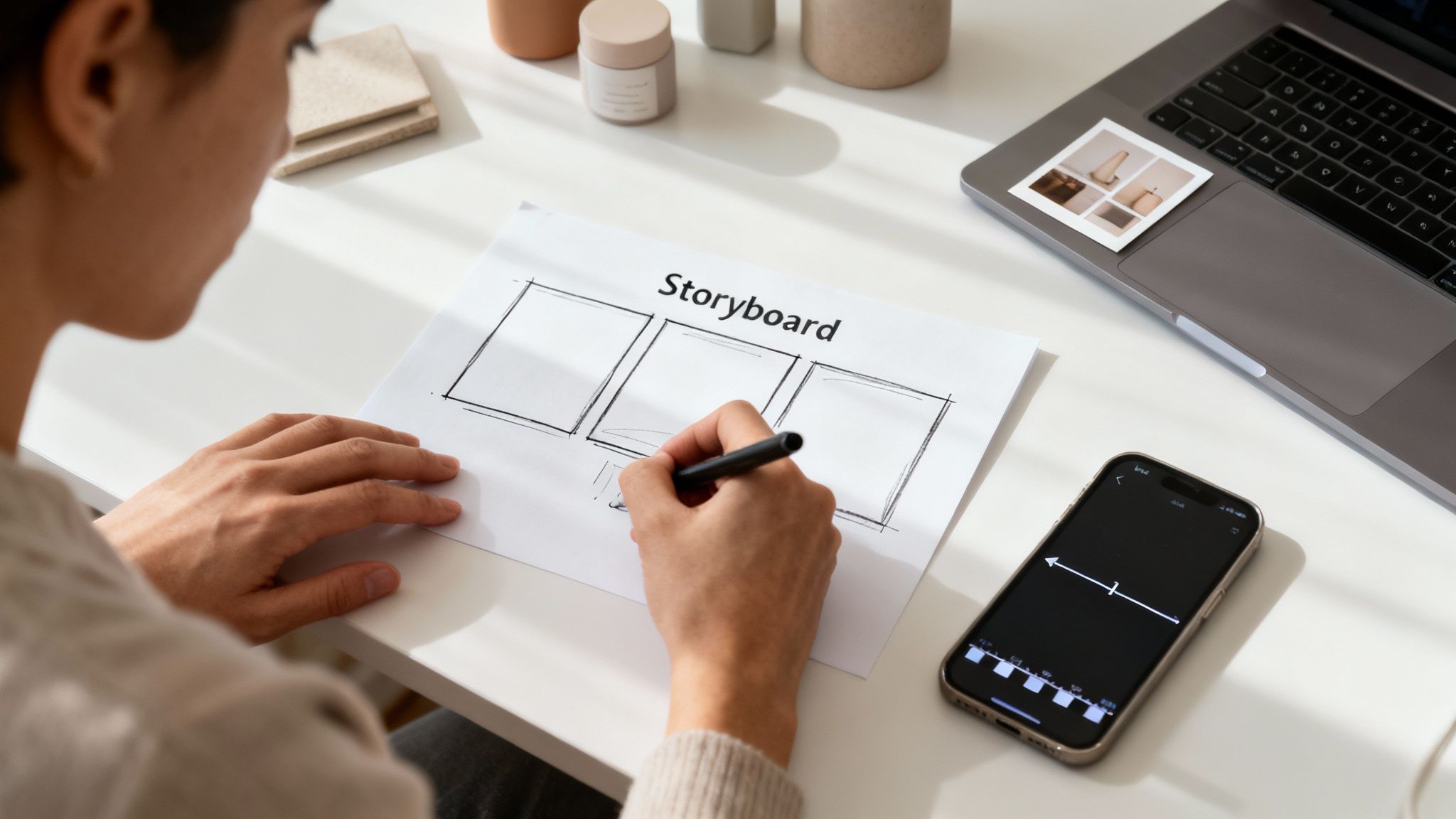
Got a concept? Great. Now, let’s get it out of your head and onto paper. A storyboard is just a simple sequence of notes or rough sketches that maps out your Reel scene by scene. It doesn’t have to be fine art; we're talking stick figures and quick descriptions. The goal is to create a visual roadmap that makes sure your story flows logically from start to finish.
For anyone running a business or marketing a product, this is where you can really start to think strategically, especially if you're using AI to help create your visuals.
A storyboard is like the blueprint for your Reel. It forces you to figure out exactly what shots you need, in what order, and what each one is meant to accomplish. It’s the ultimate time-saver for filming and AI generation.
For instance, if you're an ecommerce store owner crafting Sora 2 for TikTok ads, you need a story, not just a slideshow of product shots. This is where a tool like the Sora 2 storyboard generator can be a game-changer. You could feed it a simple prompt, like "a person using our new coffee machine from morning until afternoon," and it can spit out a full storyboard.
You might get something like this:
- Scene 1: A beautiful, cinematic shot of the sunrise coming through a kitchen window.
- Scene 2: A tight, close-up shot of coffee beans tumbling into the machine.
- Scene 3: A satisfying shot of the coffee brewing, rich and dark.
- Scene 4: A person's happy reaction as they take that first sip.
Suddenly, you have a clear list of assets you need to create. You can either film these yourself or use a Sora 2 text-to-video model to generate each clip right from your storyboard descriptions. This approach turns a fuzzy idea into a concrete plan, guaranteeing a much more professional and cohesive final ad.
Creating Your Shot List and Gathering Your Gear
Once your storyboard is locked in, it's time to get even more granular with a shot list. This is your practical, on-the-ground checklist for every single clip you need to get, whether filming or generating. For each shot, jot down the camera angle (like a close-up or a wide shot), the action, and any props you’ll need.
This little document is your best friend on production day. It keeps you focused and makes sure you don't wrap for the day only to realize you forgot a crucial scene. A simple shot list might look like this:
| Shot Number | Angle/Framing | Action Description | Sora 2 Prompts / Props Needed |
|---|---|---|---|
| 1 | Wide Shot | Person walks into the sunlit kitchen. | Filmed / Coffee mug, bathrobe |
| 2 | Extreme Close-Up | A hand pours coffee beans into the grinder. | AI-generated / "Extreme close-up, slow motion, coffee beans falling" |
| 3 | Medium Shot | User presses the 'brew' button on the machine. | Filmed / N/A |
| 4 | Over-the-Shoulder | Steam rises from the freshly brewed pot. | AI-generated / "cinematic steam rising from a coffee pot, morning light" |
Finally, get all your stuff together before you press record. This means props, outfits, and checking out your location. Is the natural light any good? Is the background cluttered? Answering these questions now makes the actual filming process incredibly smooth. Trust me, planning doesn't kill creativity—it gives it the structure it needs to really shine.
Filming and Editing Reels Like a Pro
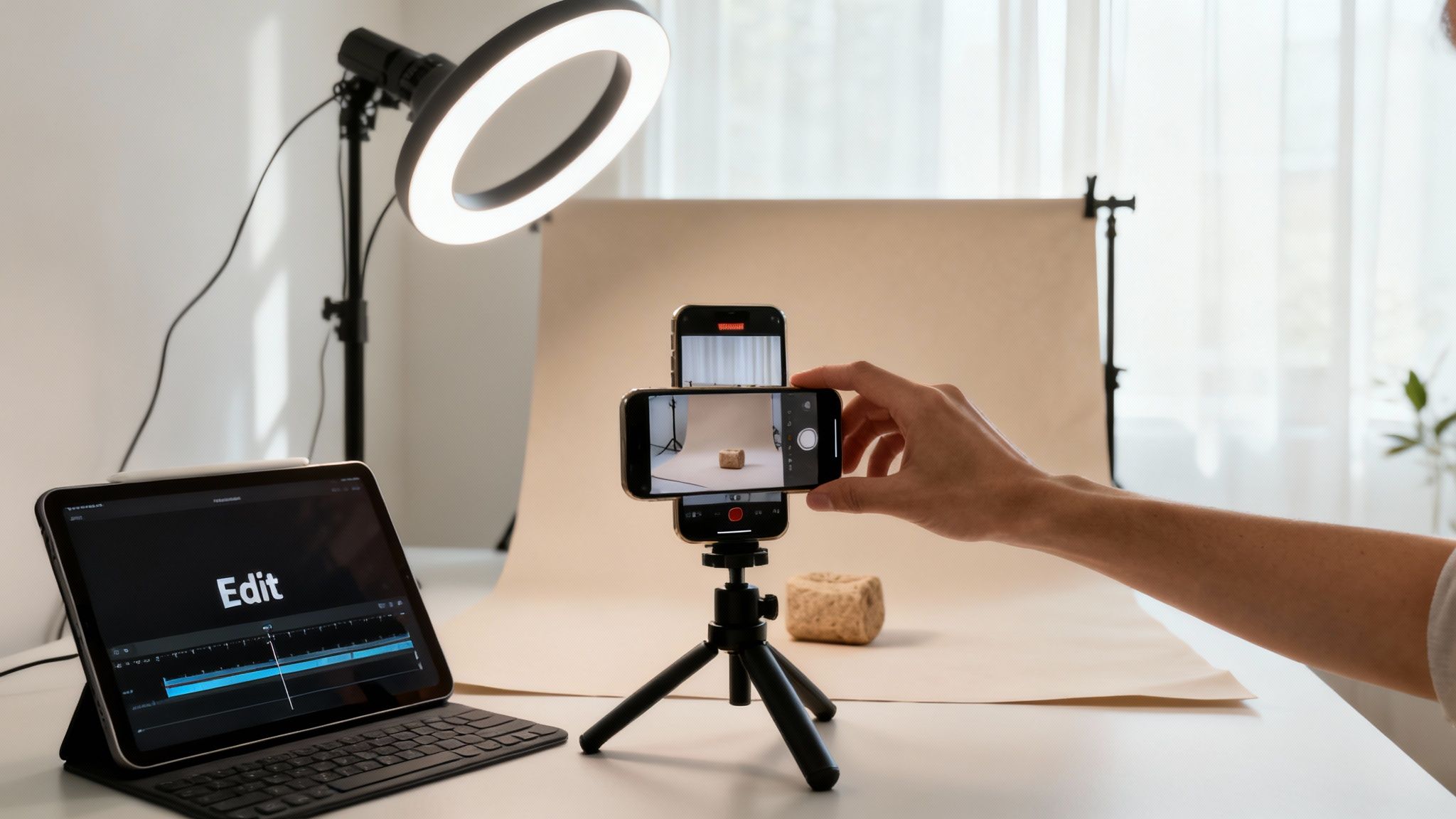
Alright, you've got your plan and your shot list. Now for the fun part: actually making the thing. This is where your prep work pays off and your vision starts to become a reality. And no, you don't need a fancy camera crew. Your smartphone is a powerhouse, perfectly capable of shooting sharp, clean video. The real secret sauce is in the fundamentals—good light, a steady hand, and creative angles.
Seriously, natural light is your best friend. Find a window, and you’ll almost always get a better shot than you would under harsh, yellowy indoor lights. And please, keep the camera steady! No one wants to watch shaky, distracting footage. Prop your phone against a stack of books or grab a cheap tripod. It makes a world of difference.
Mastering the Art of Smartphone Cinematography
You don't have to be a professional director to get compelling shots. The easiest way to add a dynamic, professional feel to your Reel is by simply changing your perspective. Ditch the boring, eye-level-only habit and start mixing things up.
Try experimenting with these simple but effective techniques:
- Low Angles: Shooting from down low makes your subject look bigger, more important, even heroic. This is a great trick for product shots or for giving a person in the frame a sense of power.
- High Angles: Looking down on your subject can show scale (think a "day in the life" shot of your workspace) or create a more intimate, behind-the-scenes vibe.
- Close-Ups: Get right in there. Highlighting the texture of a product or the details of a process can be incredibly engaging and adds a ton of visual interest.
Before you hit record, it’s a good idea to brush up on the proper Instagram Reel dimensions and video specs. Knowing the right framing from the start saves you the headache of having important parts of your video awkwardly cropped off later.
Editing Your Reel for Maximum Impact
With your clips in hand, it's time to head to the editing bay (or, you know, your couch). This is where you stitch the story together, set the pace, and add that final layer of polish. You can do all of this right inside the Instagram app, but third-party tools can offer more control if you need it.
First things first: trim your clips. Be ruthless. Cut every dead second from the beginning and end of each shot. Your goal is constant momentum. Keep the energy up and the story moving. Short, punchy clips are what win on Reels.
Next, you’ll want to sync your visuals to your sound. Whether it's a trending track or your own voiceover, timing your cuts and transitions to the beat or important words makes your video feel incredibly satisfying to watch. This single step is one of the biggest differentiators between an amateur Reel and a professional one.
Elevating Your Reels With AI-Generated Assets
Here’s where you can really separate yourself from the pack. Your smartphone footage gives you authenticity, but what if you could drop in some truly cinematic B-roll without a massive budget? This is where a tool like Sora 2 becomes an absolute game-changer.
Instead of trying (and failing) to capture that perfect, moody aesthetic shot, you can just describe it and have AI create it for you.
Let's say you need a beautiful shot of steam rising from a coffee cup on a rainy windowsill to set the mood. With a Sora 2 style model, you can generate that exact clip in seconds. Then you can seamlessly splice it with your own footage to make the whole video feel more expensive and professional.
For e-commerce sellers, this is a massive opportunity. Want to show your product in a bunch of aspirational settings? Use the Sora 2 text-to-video generator to create clips of it in a minimalist apartment, on a sunny beach, or in a vibrant city street—all without the cost and hassle of a real photoshoot.
Adding the Finishing Touches
The last part of the editing puzzle is adding text overlays and effects. Text is absolutely critical for grabbing attention in the first few seconds and for getting your message across to the huge number of people who watch with the sound off. Keep it bold, brief, and easy to read.
Instagram's built-in editor has plenty of effects, filters, and stickers to play with. Use them, but use them with purpose. They should add to your story, not clutter it up. Once you're happy with the final look, your Reel is ready for the last few optimizations before you hit "post."
Optimizing Your Reel for Maximum Reach
You’ve poured your heart into creating an incredible Reel. The visuals are stunning, the cuts are sharp—but your work isn't done yet. Now comes the part where you make sure people actually see it.
This is the optimization phase. It’s less about creativity and more about strategy, packaging your video so the Instagram algorithm can't help but show it to the world. Think of it as the final polish that turns a great video into a serious growth driver.
It really boils down to what the algorithm wants: content that keeps people on the app. Your mission is to craft a post that not only stops the scroll but also gets people to like, comment, share, and save. Every piece of the puzzle, from your caption to your hashtags, has a job to do.
Crafting a Caption That Converts
Don't treat your caption as an afterthought. It's your direct line to your audience—a powerful tool for adding context, starting conversations, and getting people to take action.
Your first line has one job: to be a hook. Pull people in with a provocative question, a bold statement, or a quick tease of the value inside the video. Instagram cuts off captions after a few lines, so that opener is your only shot to earn the "...more" tap.
Once you have their attention, use the body of the caption to add value or emotion. Tell a quick story, share a behind-the-scenes secret, or expand on a tip from the video. This is where you move beyond flashy AI visuals and start building a real connection.
And please, don't forget a clear call-to-action (CTA). Tell people exactly what you want them to do next. A Reel without a CTA is a huge missed opportunity.
- To spark conversation: "What's your biggest challenge with Sora 2 prompts? Let me know below! 👇"
- To boost saves: "Save this for later so you don't forget!"
- To encourage sharing: "Share this with a friend who needs to see this."
- To drive sales: "Tap the link in my bio to try the Sora 2 video generator."
You've captured their attention—now give it a direction.
Mastering Hashtags and Timing
Think of hashtags as your Reel's passport to the "For You" page, helping it reach far beyond your current followers. The trick isn't to just spam popular tags; it's to use a strategic blend.
Here’s a simple formula that works wonders:
- Broad, popular hashtags (2-3): These are tags with millions of posts, like
#instagramreelsor#aivideo. They give you a quick, initial burst of visibility. - Niche-specific hashtags (5-7): Get more targeted with tags like
#sora2,#textovideo, or#videomarketing. This is how you connect with a highly engaged audience that’s actually interested in what you do. - Unique, branded hashtags (1-2): Create a tag just for your brand or a specific campaign, like
#saro2ai. This builds community and makes your content easy to find later.
Your goal with hashtags isn't just to get seen, but to get seen by the right people. A hundred views from your ideal customers are worth more than a thousand views from a random audience.
Beyond hashtags, timing is everything. While posting when your audience is most active is a solid starting point, some data suggests going against the grain can pay off big time. For example, some creators have found that posts uploaded at midnight average a staggering 25,000 views per Reel, crushing other time slots. This might be because the algorithm gives a boost when competition is low.
For small business owners using Sora 2 for AI-generated videos, nailing the timing is how you turn that text-to-video magic into viral gold. You can find more insights on maximizing your Reel's reach over on Blogging Wizard.
Polishing Your Presentation
Before you hit that "Share" button, a couple of final touches can make all the difference: the cover photo and collaborator tags.
Your Reel's cover is what people see on your profile grid. It's your video's first impression. Choose a high-quality, eye-catching frame from the video or, even better, upload a custom graphic. A clean, consistent look across your Reel covers makes your whole profile look more professional and inviting.
And if your content features another creator, a partner brand, or even a customer—use the "Invite collaborator" feature! When they accept, the Reel shows up on their profile grid, too, instantly putting your work in front of their entire audience. It’s one of the most powerful organic growth hacks on the platform, effectively doubling your reach with a single post.
Why Reels Are the Key to Your Instagram Strategy
Let's be clear: if you want to grow on Instagram today, you have to get good at making Reels. It's really that simple. The days of a beautiful photo driving massive reach are behind us. The platform has fundamentally changed, and short-form video is now the heart of any AI video marketing strategy that actually works.
Reels aren't just another feature; they're built for discovery. The algorithm is designed to push them far beyond your current followers, making them the single most powerful tool for getting in front of new people. Whether you're building a personal brand or trying to find customers for your Shopify store, Reels are your fast track to growth.
The Unmistakable Power of Short-Form Video
If you look at the raw numbers, the story is undeniable. Short-form video consistently delivers a higher return on investment than any other type of content. Why? Because Reels are fantastic at grabbing and holding attention in a busy feed. That longer watch time sends a strong signal to Instagram that your content is worth showing to more people, which is exactly what leads to better organic reach and engagement.
For anyone selling a product, this format is a game-changer. A simple photo can only do so much, but a Reel lets you show your product in action. You can create a quick demo, share a real customer review, or even produce stunning Sora 2 for ecommerce and product videos—all in a clip that's under 90 seconds.
The Proof Is in the Feed
Just scroll through your own feed, and you'll see the shift. As Instagram's audience has ballooned to 2.4 billion monthly active users, Reels have taken over, now accounting for 38.5% of all posts. That’s a massive jump from just 5% back in 2020.
For sellers using a Sora 2 toolkit, this is where it gets exciting. Text-to-video Reels see 22% higher engagement than standard videos. Their average engagement rate of 1.23% easily outpaces images (0.72%) and carousels (0.99%). If you want to dig deeper into the data, Limelight Digital has some great insights on Instagram Reels statistics.
When you make Reels a priority, you're doing more than just chasing a trend. You're aligning your strategy with how people actually use the app and what the algorithm wants to promote. That alignment is the quickest way to see real growth.
Why This Matters for Your AI Workflow
For those of us working with powerful tools like the Sora 2 video generator, this data just confirms we're on the right track. Every cinematic asset you create, every storyboard you map out, is perfectly suited for Instagram's most dominant feature.
Learning how to create great Reels isn't just about making videos. It's about building a repeatable system for growing your audience and finding new customers. The skills we'll cover in this guide are the foundation for turning your creative work into results you can actually measure.
Scaling Your Content with AI and Consistency
That feeling when a Reel goes viral? It's incredible. But one-hit wonders don't build a business on Instagram. Real, sustainable growth comes from a solid, repeatable strategy. The algorithm is hungry for content, and learning how to create Instagram Reels at scale is what separates the accounts that thrive from those that fizzle out.
This isn't about working yourself into the ground. It's about working smarter, and that’s where AI tools come into play. Instead of getting bogged down in the time-suck of filming and editing every single clip, you can let technology do the heavy lifting. This frees you up to focus on the things that matter most: your strategy and connecting with your community.
Building a High-Output Content Engine with Sora 2
Let's be real: keeping up a consistent posting schedule is tough. It’s why the top accounts don't just "wing it"—they have systems. An AI video generator like Sora 2 is your ticket to moving from random, sporadic posts to a streamlined, high-output workflow.
Think about it. Say you need five different B-roll clips for the upcoming week's Reels. The old way involved planning five separate shoots. The new way? You generate them with a few simple text prompts. This kind of batch creation is a total game-changer.
- Generate Diverse Assets: Need a specific visual? You can create it on demand. A simple prompt like, "cinematic shot of a handmade candle on a rustic wooden table," can deliver a professional-looking asset in minutes.
- Storyboard Campaigns: Planning a multi-part product launch? Use the Sora 2 storyboard generator to map out your scenes visually. This ensures your story flows perfectly across a series of Reels.
- Scale Without Burnout: You can build a whole library of high-quality, on-brand video clips to pull from whenever you need them. Suddenly, posting daily doesn't seem so daunting.
The Real Impact of Posting Consistently
How often you post has a direct line to how many people you reach. Accounts with over 50,000 followers that post every two days see an average reach of 67,000 per Reel. That's a huge leg up, and it's an advantage that smart, ambitious small businesses can now claim by using tools like Sora 2.
This consistent output, as backed by Vidjet's research, helps smaller players compete by satisfying the algorithm. With Reels pulling in a 1.48% engagement rate and up to 200 billion daily plays, consistency is your key to getting a piece of that action. You can dive deeper into these powerful Instagram Reels statistics to really fine-tune your approach.
The goal isn’t just to post more. It's to post more great content. AI-powered tools are a breakthrough because they remove the single biggest bottleneck for most creators: the time it takes to produce original video.
By weaving a Sora 2 text-to-video workflow into your process, you build a content machine that can run without burning you out. This lets you give the algorithm what it wants—consistency—and drives the steady, predictable growth your brand needs.
Your Top Instagram Reels Questions, Answered
Let's dig into some of the most common questions I hear from creators and business owners trying to master Instagram Reels. We'll cut through the noise and get straight to the practical answers you need to solve common roadblocks, from video length to decoding the algorithm.
What Is the Best Length for an Instagram Reel?
Even though Instagram lets you make Reels up to 90 seconds long, the real magic usually happens in a much shorter timeframe. My go-to recommendation? Aim for 7 to 15 seconds.
This length is perfect for capturing the fleeting attention of scrollers. It also makes your content highly rewatchable—a huge bonus that signals to the algorithm that your Reel is a hit. Of course, if you’re doing a step-by-step tutorial or a deeper dive with Sora 2 video examples, you can go longer. Just make sure every second is pulling its weight.
Can I Use AI to Create Reels Without Filming?
Yes, and honestly, it’s a game-changer for content efficiency. Using a Sora 2 text-to-video generator, you can craft completely original, high-quality video clips just by typing out a description.
I’ve seen this work wonders for:
- Creating cinematic B-roll that makes Sora 2 for ecommerce and product videos look incredibly polished.
- Visualizing complex ideas or data in a way that’s easy for anyone to understand.
- Quickly generating assets for Sora 2 for TikTok ads when you don’t have the time or budget for a full shoot.
This is how you can learn how to use Sora 2 style models to create videos that look like they came from a big-budget studio, all without picking up a camera. It’s a massive shortcut for saving time and money.
The most powerful use of AI is often not to replace your existing footage, but to supplement it. Mixing your authentic, phone-shot clips with cinematic, AI-generated scenes can create a dynamic and professional final product that stands out from Sora 2 alternatives.
How Does the Instagram Reels Algorithm Work?
Think of the algorithm as a picky viewer whose only goal is to stay entertained. It wants to keep people on the app, so it promotes content that does just that.
It looks for a few key signals: watch time (how long people stick around), completion rate (the percentage of viewers who watch to the very end), and classic engagement (likes, comments, shares, and saves). Trending audio and the right hashtags also play a big role in helping the algorithm understand who to show your content to.
For anyone selling a product or service, the takeaway is clear: you have to grab attention within the first three seconds. A Sora 2 storyboard generator is a great tool for this, as it helps you map out a story that hooks viewers immediately and keeps them watching.
Ready to create stunning, scroll-stopping videos for your business without the hassle of filming? The saro2 AI video generator helps you produce cinematic Reels, TikTok ads, and product videos from simple text prompts. Explore our Sora-compatible models and start creating today at https://saro2.ai.