A Guide to the Sora 2 Video Generator
Discover how to use the Sora 2 video generator in this complete guide. Learn to craft stunning AI videos for marketing, social media, and e-commerce.
Welcome to a whole new way of making videos. The Sora 2 video generator is here, and it’s changing the game by turning your simple text ideas into stunning, lifelike video clips. It’s less of a tool and more of a creative partner, ready to bring even your wildest concepts to life with incredible detail.
A Leap into Realistic World Simulation

The Sora 2 video generator isn't just another AI video tool. It goes a step further by actually simulating a world. Instead of just mashing pixels together to look like a video, it has a genuine understanding of how things work in reality.
What does that mean for you? It means you can create scenes where characters and objects interact in a way that just makes sense. Ask for a video of a ball bouncing, and Sora 2 gets gravity. It understands momentum. The result is an animation that feels right, a massive step forward for anyone creating video content.
Understanding Core Capabilities
So, what’s under the hood that makes this thing so different? It really comes down to two major advancements that directly impact how real your videos look and feel.
- Physical Accuracy: The model can actually simulate real-world physics. It knows how light should bounce off a metallic surface versus a wooden one, how water should ripple, or how a silk scarf should drift in the wind. This gives your content an authentic, grounded quality right out of the box.
- Object Permanence: This is a big one. Sora 2 remembers objects and people, even if they temporarily leave the screen. If a character walks behind a pillar and comes out the other side, they'll look the same. This was a huge stumbling block for older models and is absolutely critical for telling a coherent story.
These improvements mean you'll spend way less time on tedious post-production fixes and more time focused on the creative side of storytelling.
Key Takeaway: Sora 2 isn't just generating pixels; it's simulating a small, self-contained reality based on your prompt. This understanding of physics and object interaction is its defining feature.
Sora 2 Alternatives and Comparisons
To really get a sense of how big a deal this is, you just have to look at how quickly the technology has evolved. The original Sora model, which was first previewed, felt like the 'GPT-1 moment' for video—a promising but raw beginning.
Fast forward to the launch of Sora 2, and it’s a totally different story. This is the 'GPT-3.5 moment' for video, thanks to its sophisticated world simulation and physical accuracy.
Here's a quick look at how the two stack up against each other.
Sora 2 vs Original Sora Core Feature Comparison
| Feature | Original Sora | Sora 2 |
|---|---|---|
| Video Length | Up to 60 seconds | Up to 3 minutes |
| Resolution | 1080p | Up to 4K |
| Object Permanence | Basic, often inconsistent | High, maintains consistency |
| Physics Simulation | Limited, occasional glitches | Advanced, realistic interactions |
| Coherence | Good for single shots | Excellent for multi-scene stories |
As you can see, the jump in capability is significant, making it a much more reliable tool for serious projects.
As Sora 2 becomes more widely available, it's opening doors for everyone from marketers to indie filmmakers and small business owners. If you're curious about what else is possible, you can check out all the topics we cover by looking at the complete site content map. For now, let’s dive into how you can start using it to turn your own ideas into amazing videos.
Bringing Your First AI Video to Life with Text
Alright, this is where the magic happens. We're going to turn your ideas into actual, moving video clips. The single most important thing to get right when using the Sora 2 video generator is the prompt. Think of the AI as an incredibly talented, but very literal, assistant—it will create exactly what you describe.
The secret to a great Sora 2 text-to-video result is all in the richness of your description. If you're vague, you'll get a vague and probably boring video. A prompt like "a car driving" is a recipe for disappointment. But what if you wrote, "a vintage red convertible driving along a winding coastal road at sunset, golden light reflecting off the chrome"? Now you're giving the AI the specific, cinematic details it needs to work with.
Breaking Down Killer Sora 2 Prompts
A great prompt isn't just a shopping list of things you want to see. It’s more like a tiny script. You need to guide the AI on the who, what, where, and even the feel of the scene. I always build my Sora 2 prompts around these core elements:
- The Subject: Get specific. Don't just say "a dog." Try "a golden retriever puppy with a bright blue collar." The more unique details you provide, the better the AI can lock onto your vision.
- The Action: Use powerful, descriptive verbs. "A puppy is running" is functional, but it's not exciting. "A golden retriever puppy joyfully chasing a red ball across a lush green lawn" tells a story and injects emotion.
- The Environment: Paint a picture of the surroundings. Describe the lighting, the weather, and anything important in the background. Adding something like, "under a clear blue sky with fluffy white clouds," helps build a complete, believable world.
This method gives the Sora 2 video generator all the puzzle pieces it needs to construct something visually compelling. You can see below how the interface is designed to put your detailed prompt front and center.
As you can tell, it’s a clean, simple layout. The focus is entirely on the quality of your text, which really drives home how crucial it is to get it right.
Refining Your Video Until It's Perfect
Let's be real: your first attempt is almost never the final cut. The real creative work starts when you begin refining. If a video doesn't look quite right, don't throw it out and start over. Just tweak the prompt.
For instance, if the scene came out looking a bit gloomy, try adding modifiers like "bright and cheerful," "vibrant colors," or "uplifting atmosphere." If the camera is just sitting there, tell it what to do! Add phrases like "a slow-motion tracking shot following the character" or "a dynamic drone shot flying over the landscape."
Pro Tip: I highly recommend keeping a "prompt journal." It can be a simple text file or notebook where you save phrases and descriptions that give you great results. Over time, you'll build a personal library of commands that help you get a specific style or maintain character consistency across different video clips.
This back-and-forth process is how you truly get the hang of the Sora 2 video generator. For anyone curious about how we structure our site for different languages, you can check out the Japanese version of our site map as an example. Keep practicing and refining your prompts, and you'll quickly go from just using the tool to directing it like a pro.
Building Narratives with the Storyboard Generator
Making a single, killer video clip is cool, but telling a whole story is where the real magic happens. This is exactly what the Sora 2 storyboard generator is for. It lets you step into the director's chair, moving past isolated shots to build a full narrative from start to finish.
The whole idea is to think scene by scene. Instead of trying to cram an entire story into one monster prompt, you break it down into smaller, digestible chunks. This gives you way more control and helps you craft a cohesive video, whether it's for an ad or a short film.
From Idea to Multi-Shot Story
First things first: think like a filmmaker. Before you even touch the generator, sketch out your story. It doesn't have to be an epic. A simple beginning, middle, and end works perfectly for most short ads.
Let's imagine you're creating an ad for a new coffee blend. Your story could be as simple as this:
- Scene 1 (The Problem): Someone looks groggy and completely unmotivated at their desk, first thing in the morning.
- Scene 2 (The Solution): A close-up shot of them brewing a cup of your brand's coffee. Think rich colors and rising steam.
- Scene 3 (The Result): Now they're back at the desk, but totally energized, focused, and smiling.
With this simple outline, you can now write a specific prompt for each of these three scenes. It's so much more effective than trying to describe the whole sequence at once. You get to nail the lighting, the mood, and the action for each shot individually before piecing them all together.
The secret to the storyboard generator is a classic strategy: divide and conquer. By breaking your story into individual scenes, you get precise control over the pacing, the characters, and the overall look, making sure the final video actually tells the story you had in your head.
Maintaining Consistency Across Scenes
Okay, here’s the tricky part of making multi-scene videos: keeping everything consistent. You need your characters, the setting, and the general vibe to feel the same from one clip to the next. The Sora 2 storyboard generator is designed to help with this, letting you carry over key details from one prompt to another.
To keep a character looking like the same person, you just need to be specific and repeat your descriptions. Going back to our coffee ad, your prompts might look like this:
- Prompt for Scene 1: "A woman in her late 20s with curly brown hair, wearing a gray sweatshirt, sits at a wooden desk looking tired. Soft, cool morning light from a window. Cinematic, 4K."
- Prompt for Scene 2: "Close-up shot of a white ceramic mug with the brand's logo. Hot coffee is poured into it, steam rising. Warm, inviting light. Cinematic, 4K."
- Prompt for Scene 3: "The same woman with curly brown hair and gray sweatshirt is now smiling and typing energetically at her wooden desk. The light is now bright and warm. Cinematic, 4K."
See how certain phrases are repeated? "Woman with curly brown hair," "gray sweatshirt," "wooden desk," and "cinematic, 4K" are the anchors. They tell the AI to maintain those elements, which is the key to creating a video that feels seamless and professional.
This iterative process is the core of creating great AI video.
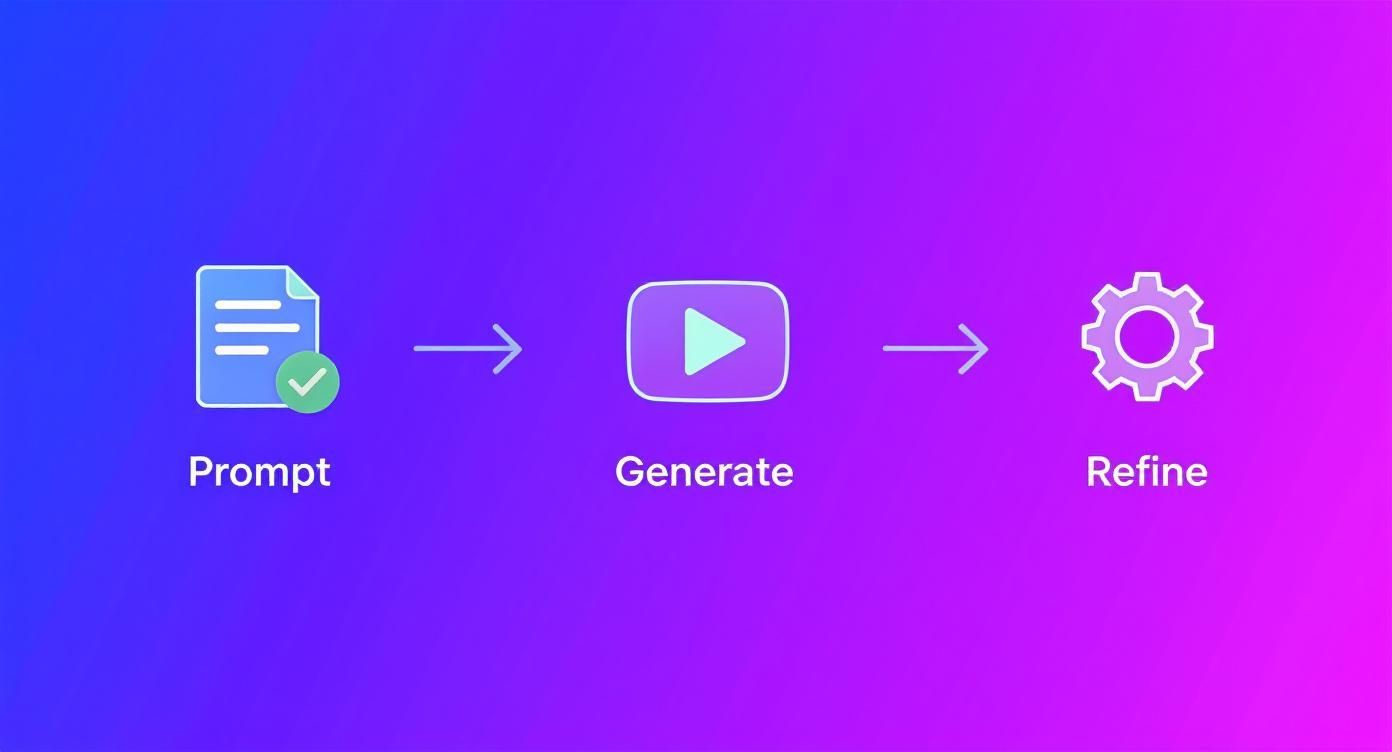
It’s never a one-and-done deal. You prompt, you generate, and you refine. You keep tweaking until your story is just right.
Crafting Ads That Actually Convert on TikTok and Shopify
Alright, let's talk about where the rubber meets the road: turning your creative ideas into actual, money-making assets. This is where a tool like the Sora 2 video generator becomes an absolute game-changer, especially for platforms like TikTok or your Shopify store.
On these platforms, you don't have the luxury of a slow buildup. You have about three seconds to stop someone from scrolling past your ad. That's it. Your video has to be a visual thumb-stopper.
This means you can't just generate a generic clip. You need to engineer a visual hook from the very start. Think about what makes people pause: jarring camera moves, an unexpected reveal, or something deeply satisfying to watch. For a skincare brand, "a bottle of serum" is a boring prompt. But "Ultra slow-motion shot of a single drop of glowing serum falling from a glass dropper onto a leaf, creating a perfect ripple" — now that's a scroll-stopper.
Speaking the Language of Social Media
Here’s something I learned early on: what works on a polished product page will absolutely bomb on TikTok. Sora 2 for TikTok ads needs a completely different approach. The goal is to make it feel native, almost like it belongs there, with a fast, authentic, and sometimes slightly unpolished vibe.
You can actually steer the AI toward this style by tweaking your prompts. I often add modifiers like "shot on a smartphone," "user-generated content style," or "handheld camera movement." These little phrases are gold for creating that genuine, less-produced feel that TikTok's algorithm and users love.
Key Insight: The secret to great AI-generated ads is making them not look like they were made by an AI. The best ones blend in perfectly by mirroring the style and raw energy of top-performing content made by real people.
Prompt Modifiers for Social Media Ads
Adding just a few specific words to your prompt can radically shift the entire mood and style of your video. It's the difference between an ad that gets ignored and one that gets clicks. Here are a few examples I use regularly to optimize content for different platforms.
| Platform Goal | Example Prompt Modifier | Intended Effect |
|---|---|---|
| TikTok Authenticity | "Shot with a slight natural camera shake, selfie-style view" | Creates that relatable, user-generated feel that builds instant trust. |
| Shopify Product Detail | "Clean product shot on a minimalist white background, 8K, macro details" | Produces a professional, high-end look perfect for showing off product quality. |
| Instagram Reel Energy | "Fast cuts between scenes, vibrant colors, upbeat mood" | Generates a dynamic, attention-grabbing video that fits right into fast-paced feeds. |
Think of these modifiers as your director's notes to the AI, guiding it to create exactly what you need for each specific marketing channel.
AI Video Marketing Strategies with Sora 2
Employing a Sora 2 video generator for ecommerce and product videos isn't just a cool trick; it's a powerful strategic move. The real advantage is the speed and scale. You can create a dozen different ad variations for A/B testing in the time it used to take to produce one, and for a tiny fraction of the cost. In today's market, that kind of agility is everything.
The explosive growth of the AI video generator market shows just how big this shift is. In 2023, the market was already valued at around USD 554.9 million. But the projections are staggering: it's expected to hit USD 1,959.24 million by 2030. You can dig into the numbers yourself in the full market analysis report.
This technology gives brands the power to build entire marketing funnels—from top-of-funnel awareness ads to detailed product demos—all within a single workflow. For those curious about how we manage content for different locales, you can see an example by checking out our Russian sitemap details. Ultimately, the ability to generate, test, and deploy video at this speed is what’s driving serious growth for online businesses.
How to Use Sora 2 Style Models and Prompts
Once you've got the basics down, it’s time to start thinking less like a prompter and more like a film director. This is where you can really push the creative boundaries of the Sora 2 video generator and move beyond simple descriptions to create something truly cinematic.
The trick is to load your prompts with nuanced commands that give you more granular control over the final shot. Think about how a director frames a scene. Specifying camera angles and movements, for instance, can completely transform a video's entire mood.
Instead of just writing, "a woman walking through a forest," try something with more intention: "A low-angle tracking shot following a woman's boots as she walks through a dense, foggy forest at dawn." See the difference? That simple change immediately injects a sense of mystery and narrative tension.
Using Negative Prompts to Refine Your Vision
One of the most powerful tools in your arsenal is the negative prompt. This is basically you telling the AI what not to do. It’s an incredibly effective way to clean up unwanted visual noise, get rid of weird AI artifacts, or just dial in the precise style you're aiming for.
Let's say you're trying to create a clean product video, but the AI keeps populating the background with distracting people. You can use a negative prompt to fix this: A sleek black drone hovering in a minimalist studio, clean white background --no people, --no shadows. The --no command acts as a filter, stripping out anything you don't want.
I find myself using negative prompts all the time in these situations:
- Removing Distractions: Use
--no clutter,--no background motion, or--no textto keep the focus squarely on your subject. - Controlling Style: If the output feels too animated, adding
--no illustration, --no cartooncan push it toward a more photorealistic look. - Fixing Artifacts: To combat common glitches like characters with six fingers, you can try
--no extra limbs, --no distorted hands. It's not a perfect fix, but it often helps.
Think of negative prompts as your editorial veto power. They give you the ability to say "no" to the AI, which is often just as important as telling it what you want. This is a key step in moving from generating clips to truly directing them.
Troubleshooting Common Creative Hurdles
Even with the best prompts, you’re going to hit some roadblocks. The Sora 2 video generator is an amazing tool, but it has its quirks. Two of the most common headaches I see are inconsistent character details between scenes and physics that just feel a little… off.
When a character's face or clothing suddenly changes from one shot to the next, the best workaround is to get hyper-specific. Create a mini "character sheet" in your prompt and then copy and paste it into every prompt featuring that character.
So, instead of a generic "a man in a suit," your prompt should detail "a tall man in his 40s with salt-and-pepper hair, wearing a navy blue pinstripe suit and a red tie." Using that exact description across multiple scenes will dramatically improve the model's ability to maintain consistency.
As for wonky physics—like a ball that seems to float or a scarf that doesn't flow correctly—the fix is often to add more descriptive context. If a ball isn't bouncing realistically, explicitly define the materials and forces at play. Try something like, "heavy rubber ball bouncing on concrete with realistic gravity." The more physical information you feed the AI's world simulation, the more believable the outcome will be.
Sora 2 Video Examples and FAQs
As more and more creators are getting their hands on the Sora 2 video generator, we're seeing a lot of the same questions pop up. So, I’ve put together a quick rundown of the most common ones to give you clear, no-fluff answers. Think of this as your cheat sheet for getting the most out of the platform.
How Is Sora 2 Different From Other AI Video Tools?
The biggest thing that sets Sora 2 apart is its incredibly advanced world simulation. A lot of other AI video tools are great for short, visually interesting clips—think abstract art or dreamy, looping animations. But Sora 2 has a much deeper understanding of how the real world works, from basic physics to object permanence.
What does that mean for you? It can create longer, more complex videos with multiple scenes where people and objects act consistently. It can actually follow a narrative. This ability to handle detailed Sora 2 text-to-video prompts with specific interactions makes it a much stronger tool for telling a coherent story or creating a believable product demo.
What Are the Best Prompts for Product Videos?
When you're creating a product video, specificity is everything. Vague prompts give you vague, generic results. You have to be precise.
Instead of "a coffee mug on a table," try something like "a matte black coffee mug with a gold rim, sitting on a polished oak table in a bright, modern kitchen."
Then, direct the camera. Use phrases like "slow pan from left to right, focusing on the steam rising from the coffee." I also like to add stylistic keywords like "product shot," "commercial grade," or "4K" to signal to the AI that I want a professional, high-end look. The goal is to leave nothing to chance.
Pro Tip: The more detailed your description of the subject, action, and environment, the better. You’re essentially giving the Sora 2 video generator a perfect blueprint to build from, which is how you get those incredible, high-quality shots.
Can I Use My Own Images or Videos with Sora 2?
You bet. Sora 2 isn't just about text-to-video. It's also fantastic at image-to-video generation. You can upload a still image—like a logo, a product photo, or even concept art—and use a text prompt to bring it to life.
This is one of my favorite features for creating dynamic intros or animating a static product shot. The model uses your image as a strong reference point, so the final video keeps the original style while adding the motion you described in the prompt. If you're looking for content in other languages, you can check out our comprehensive Arabic sitemap.
How Do I Keep Characters Consistent Across Scenes?
Ah, the classic character consistency problem. It's a common hurdle in AI video, but you can definitely manage it with the right approach. The best trick is to be hyper-descriptive in your first prompt and then reuse that exact description every single time that character appears.
For instance, don't just say "a woman." Be specific: "a woman in her 30s with short red hair, wearing a blue denim jacket."
Copy and paste that entire phrase into the prompt for every scene she's in. This repetition acts as an anchor for the AI. Some platforms also let you use a "seed" number, which is another great way to lock in the style and look between generations.
Ready to move past the learning curve and start creating? With saro2.ai, you get instant access to the power of the Sora 2 video generator. No waitlist. Start making cinematic ads, viral social posts, and eye-catching product videos today. Your ideas are ready—bring them to life now at https://saro2.ai.