A Guide to the Sora 2 Vertical Video Maker for Viral Content
Discover how to use the Sora 2 vertical video maker to create stunning, viral content. Learn actionable prompt strategies for TikTok ads and social media.
Sora 2 isn't just another AI model—it's a dedicated vertical video generator built into a mobile app that feels just like scrolling through a social media feed. This TikTok-style approach makes creating high-quality, AI-generated shorts ridiculously simple. Forget about complex software or needing any technical skills.
The Big Shift to AI Video for Everyone
The launch of the Sora 2 vertical video maker marks a real turning point in how we think about creating content. For a long time, the most powerful AI video tools were locked away in desktop apps with a massive learning curve. This put them out of reach for most creators, marketers, and small business owners.
Sora 2 completely shatters that barrier. It packs its sophisticated text-to-video engine into a mobile experience that anyone can pick up and use immediately. We're not just talking about a new feature; it's a whole new way of doing things.
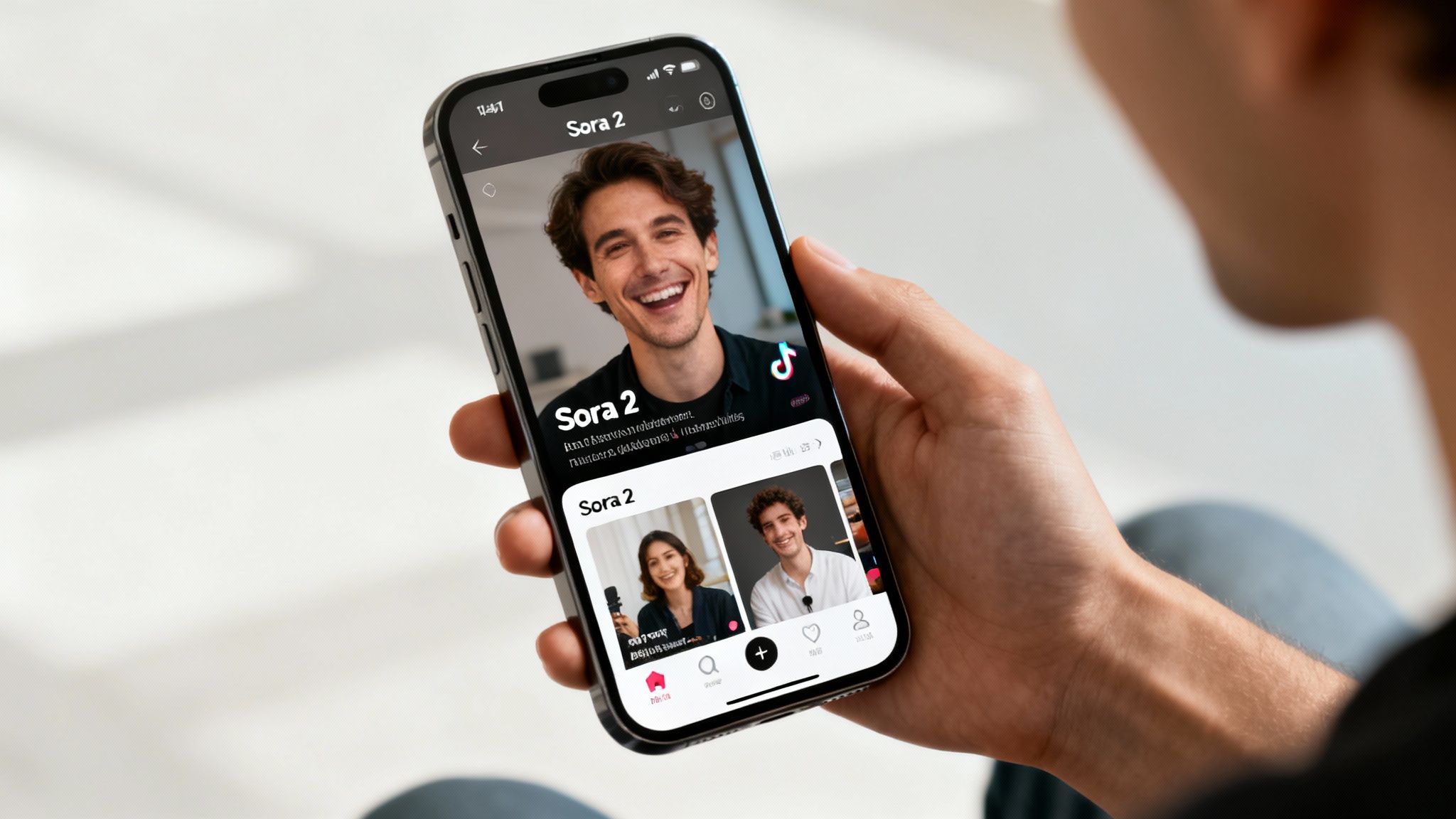
The impact was immediate and honestly, pretty staggering. When OpenAI dropped its dedicated mobile app on September 30, 2025—which acts like a social network for AI clips—it exploded. Within its first 48 hours, the invite-only app shot to the #1 spot in the US App Store, racking up over 164,000 downloads and even overtaking ChatGPT. If you want to dig deeper into how this changes the game, check out this ultimate guide to AI video editing and repurposing.
Putting Pro-Level Content in Your Pocket
The philosophy behind the app is crystal clear: make AI video creation as easy as posting to Instagram. By building in features we all know—like a vertical feed, remixing tools, and user profiles—Sora 2 has turned a complicated tech process into something fun and engaging.
This has some huge implications for anyone creating content:
- No More Gatekeepers: If you have a smartphone, you can now produce incredible-looking short-form videos. No editing experience required.
- Create Content Faster: Brands can pump out a huge volume of ad creatives for platforms like TikTok and product videos for ecommerce sites at a tiny fraction of the usual time and cost.
- Freedom to Experiment: The platform is built for playing around. You can test out wild Sora 2 prompts and concepts that would have been way too expensive or time-consuming to produce the old-fashioned way.
Here's the thing that really stands out: The genius of the Sora 2 app isn't just the tech—it's the social design. It has taken AI video generation from a niche tool for specialists and turned it into a mainstream way for people to tell stories, putting it in direct competition with the big social platforms.
At the end of the day, this mobile-first approach has proven there’s a massive appetite for AI tools that are easy to use but deliver professional results. It’s set a new standard, opening the door for a whole new generation of creators to bring their visions to life.
Setting Up Your Workspace for Vertical Video Success
Jumping into a new creative tool is always exciting, but trust me, spending a few minutes on setup now will save you a ton of headaches later. Before you even think about writing your first prompt in the Sora 2 vertical video generator, we need to get your workspace dialed in for platforms like TikTok, Instagram Reels, and YouTube Shorts.
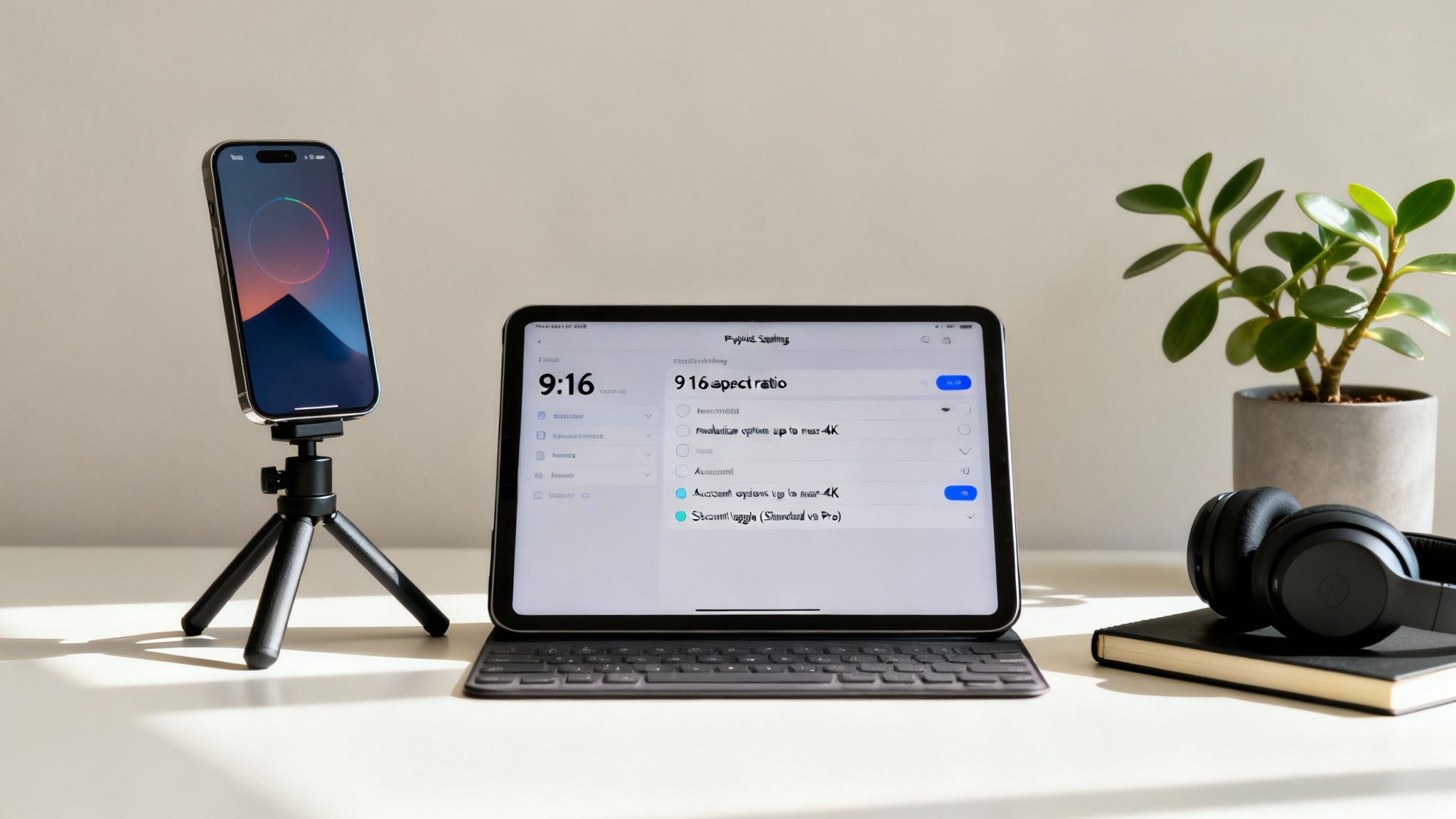
First things first: the aspect ratio. This is non-negotiable. For any vertical video, you have to select 9:16. This is the magic number that ensures your video takes up the entire screen on a phone, which is exactly what you want. It grabs the viewer's full attention and avoids those amateur-looking black bars on the sides. Each platform has its own little quirks, so getting familiar with the ideal Instagram video aspect ratio, for example, will really pay off in engagement.
Next up is resolution. The Sora 2 text-to-video model is capable of producing some seriously impressive, near-4K quality video. My advice? Always crank it up to the highest resolution possible. Yes, it might take a few extra moments to generate, but the difference in visual quality is huge. A sharp, high-def video just looks more polished and tends to get a friendlier push from the social media algorithms.
A Quick Reference for Your Vertical Video Setup
To make it even easier, here are the core settings you'll want to use every single time. Think of this as your pre-flight checklist before generating any content with the Sora 2 video generator.
| Sora 2 Vertical Video Format Settings | | --- | --- | --- | | Setting | Recommended Value | Why It Matters | | Aspect Ratio | 9:16 | Fills the entire mobile screen for maximum impact. | | Resolution | Highest Available (e.g., 1080x1920p or higher) | Delivers a crisp, professional look that performs better in feeds. | | Social Accounts | Linked | Enables one-click sharing, saving you a lot of time. | | Account Tier | Pro (if possible) | Unlocks longer video lengths for more complex storytelling. |
Getting these basics locked in means you can focus on the creative part without worrying about technical glitches or poorly formatted exports down the line.
Fine-Tuning Your Account for a Smoother Workflow
Beyond the technical specs, a couple of quick account tweaks will make your life a lot easier. Inside the Sora 2 app, you can link your social media profiles directly. Go ahead and connect your TikTok, Instagram, and YouTube accounts now. It's a simple step that turns publishing into a seamless, one-click process.
You also need to be aware of how your account tier affects your output. It’s not just about features; it’s about practical creative limits.
- Standard Account: This is perfect for getting your feet wet, but keep in mind you’ll be capped at a maximum video length of 15 seconds.
- Pro Account: If you're serious about creating ecommerce product videos or longer ads, the Pro upgrade is worth considering. It bumps your max video length up to 25 seconds, which gives you much more breathing room for storytelling or showing off a product.
Nailing these foundational settings isn't just a technicality—it's about building a professional workflow. It guarantees every video you create with the Sora 2 vertical video generator starts with the best possible chance of looking great and performing well.
Once you've got the 9:16 aspect ratio set, the resolution maxed out, and your accounts linked, you're ready to move from idea to a high-quality final video without hitting any technical snags. This simple setup is your launchpad for creating amazing, platform-perfect vertical videos that stop the scroll.
Writing Prompts That Actually Create Viral Videos
Once your workspace is ready to go, it's time to dig into the single most important skill you'll develop: writing effective Sora 2 prompts. This is where you stop being just a content creator and start thinking like a director. Your text prompt isn't just a simple request; it's your script, your shot list, and your lighting plan all rolled into one. Just asking for "a video of a product" is a recipe for a boring, generic clip. If you want to create something that actually stops the scroll, every word you choose matters.
You have to start thinking visually. Don't just describe the scene—describe how a camera would see it. That's the secret to getting the most out of a powerful text-to-video tool like the Sora 2 vertical video maker. You're essentially guiding the AI's "lens" to capture the dynamic, high-energy shots that crush it on TikTok and Instagram Reels.
It’s no secret that AI is completely changing the game in what's now a $42 billion global video market. With the right prompts, I've seen creators boost their output by 10 to 100 times. Think about that—you can slash your production costs while still creating the kind of high-quality, short-form content that brands are desperate for. And with YouTube’s user base expected to hit 2.85 billion in 2025—largely driven by vertical video—the opportunity is massive. You can learn more about the creator economy's new toolkit on YouTube to see where this is all heading.
Start Thinking Like a Director
To get past those flat, lifeless AI videos, you need to layer in the details. A great habit to get into is breaking your Sora 2 prompt down into three key parts: the subject, the action, and the cinematic style. This simple framework makes sure you've covered all your bases.
- The Subject: Who or what is the star of your video? Get specific. "A woman" is vague. "A young woman with curly brown hair wearing a bright yellow raincoat" gives the AI something real to work with.
- The Action: What's happening? Strong, descriptive verbs are your best friends here. "Walking" is fine, but "hurrying through a rain-soaked city street at night" creates an entire mood.
- The Cinematic Style: This is where you set the vibe. How should the video feel? Call out camera angles, lighting choices, and the overall aesthetic you're aiming for.
When you start weaving these three elements together, you're no longer just asking for a video; you're giving the Sora 2 video generator a clear, artistic vision to bring to life.
The real difference between a basic prompt and a great one is storytelling. A basic prompt just describes a static image. A great Sora 2 prompt describes a moment in a story—packed with emotion, movement, and a distinct visual flavor.
Real-World Prompt Examples for Social Media
Okay, let's put this into practice with a few Sora 2 video examples. Here are a couple of prompts I'd use for real-world social media content. Notice how each one is loaded with specific details designed to get a very particular result, whether it's for a quick ad or a product feature.
For a TikTok Ad Hook:
- Prompt:
Close-up shot, a single drop of serum falls in slow motion onto a green leaf, creating a ripple effect. Soft, natural morning light. Macro lens, hyper-realistic, 8K. - Why it works: This creates an instant, satisfying visual that's perfect for grabbing attention in the first three seconds. Using terms like "close-up," "slow motion," and "macro lens" are direct instructions that force the Sora 2 text-to-video model to generate a high-impact, scroll-stopping shot.
For an E-commerce Product Reveal:
- Prompt:
A new white sneaker with neon green accents slowly rotates on a minimalist pedestal against a clean, grey background. Dynamic studio lighting catches the texture of the shoe. Drone shot, orbiting the product smoothly. - Why it works: It's crystal clear about the product details, the setting ("minimalist pedestal"), the lighting, and especially the camera movement ("orbiting the product smoothly"). This is how you get a clean, professional-looking product video ready for your Shopify store or Instagram feed.
Telling a Story with the Storyboard Generator
A single, flashy clip is cool, but a real story is what hooks people and makes them stick around. This is where the Sora 2 storyboard generator really shines, letting you move past simple one-off generations to build multi-scene videos, turning a handful of visuals into something that actually makes sense.
It all starts with your first Sora 2 prompt. This sets the stage—the location, the people, the vibe. This initial scene is your foundation. From there, the storyboard feature lets you tack on more scenes, building out the narrative. The real genius here is how the AI keeps track of everything. If you start with "a woman with red hair wearing a blue coat," the AI will remember her for the next shot, maintaining that crucial consistency.
Building Your Narrative Scene by Scene
To create a video with multiple scenes, you have to think like a filmmaker. Each new prompt needs to describe the next bit of action, but it also has to feel connected to what just happened. This is your chance to direct the "camera" and create cuts that look intentional and professional.
For a story that flows well, your prompts need to guide the transitions between shots. I've found a few techniques that work really well:
- Change the Angle: After a wide shot that sets the scene, you could prompt something like
the scene cuts to a close-up of the character's reaction. - Follow the Action: If your character is on the move, follow them. Try a prompt like
the camera now follows her as she walks into a bustling cafe. - Reveal Something New: Use a new scene to introduce a surprise or a key object. For instance,
she opens the mysterious box, revealing a glowing object inside.
This simple flowchart breaks down the essential parts of a solid prompt, which becomes even more important when you're stringing multiple scenes together.
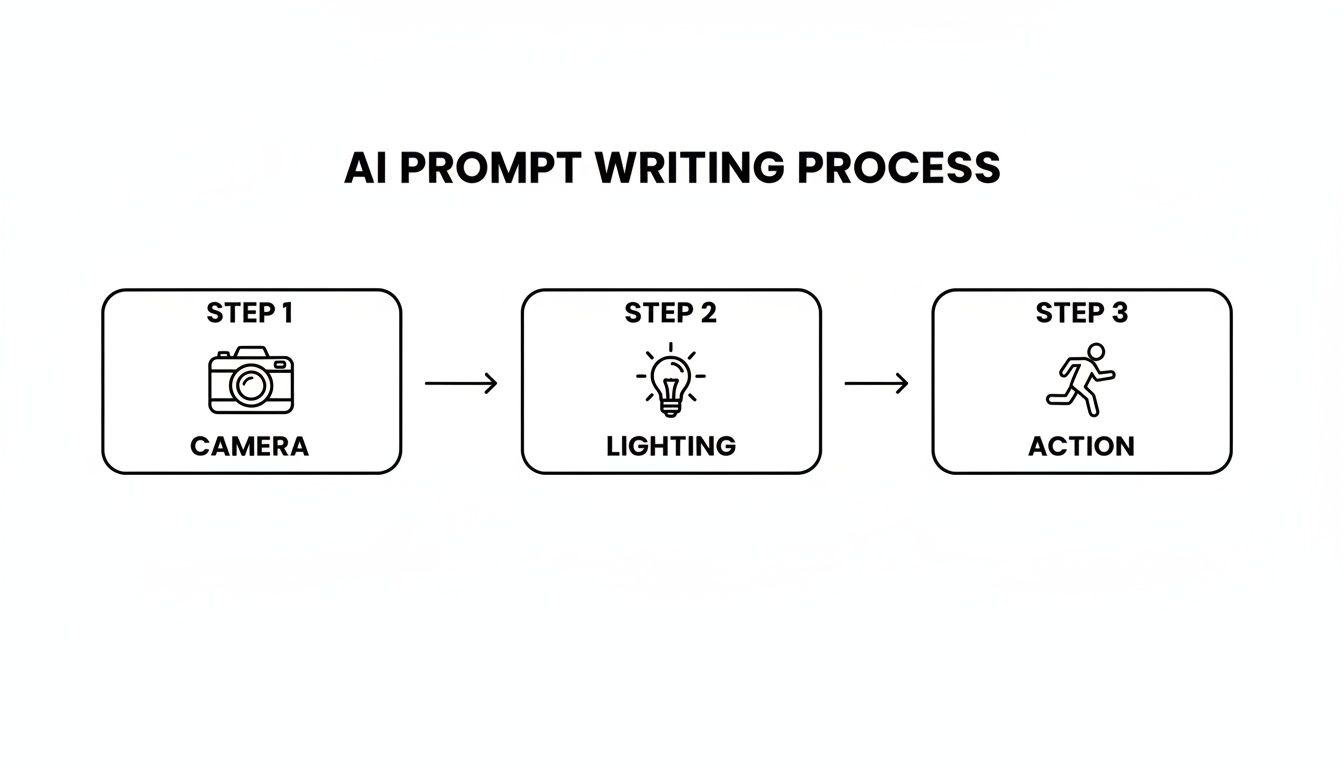
As you can see, getting a handle on directing the camera, controlling the light, and clearly defining the action are the three pillars for getting great results from any AI video tool like Sora 2.
Pacing for Maximum Impact
With vertical video, your storytelling window is tiny—you've usually got just 15 to 25 seconds to work with. That means pacing is absolutely everything. You don't have time for a slow burn; your story needs a clear beginning, middle, and end packed into a super-short format.
The secret to good pacing in a storyboard is making sure every single scene has a job. The first scene has to be your hook. The middle scenes need to build on the idea. And the final scene must deliver the punchline or the call to action.
It’s like a three-act play for the TikTok era. If you were making a product video for an e-commerce brand, your storyboard might look something like this:
- Scene 1 (The Hook): An extreme close-up of a beautifully designed product box, making people wonder what's inside.
- Scene 2 (The Development): The product gets unboxed and we see someone genuinely enjoying using it.
- Scene 3 (The Payoff): A final, polished shot of the product with a "Shop Now" text overlay.
Once you get comfortable with the Sora 2 storyboard generator, you're not just making AI clips anymore—you're telling stories. This narrative-driven approach is what transforms a basic vertical video into an ad that converts or content that people actually share.
Advanced Strategies for TikTok Ads and E-commerce
Making a cool, viral-style video is one thing. Using Sora 2 for TikTok ads or ecommerce product videos to actually drive sales? That's a whole different ballgame, especially on a platform as fast-moving as TikTok.
Success here isn't just about aesthetics; it's about engineering your videos to stop the scroll, instantly communicate value, and guide a viewer to the next step. You have to start thinking like a performance marketer, not just a content creator. Your Sora 2 prompts need to have a clear commercial goal.
Crafting Prompts for High-Converting Ads
On TikTok, you live or die by the first three seconds. That's your hook. Thankfully, with a Sora 2 style AI, you can generate stunning visuals that used to be reserved for brands with massive VFX budgets. Your entire prompt should be built around creating an irresistible, thumb-stopping moment right out of the gate.
Let's look at a couple of real-world examples:
- Highlighting Aesthetics:
Ultra macro shot of a single coffee bean tumbling in slow motion, rich brown textures and aromatic steam visible, cinematic studio lighting.This prompt doesn't just show coffee; it sells an experience. It’s perfect for a premium coffee brand trying to convey quality through sensory details. - Showcasing a Benefit:
A woman’s frizzy hair instantly becomes smooth and sleek as a glowing serum is applied, hyper-realistic, satisfying visual.Here, we’re demonstrating the product's core promise in a direct, visually gratifying way. It’s a "show, don't tell" approach on steroids.
This technology isn't just a neat trick; it's already sending ripples through the market. When Sora 2 was first announced, social media stocks collectively dropped $20 billion in market value. Why? Because analysts saw it as a massive threat to the old way of doing things. Suddenly, anyone can produce top-tier ad content for pennies, which could seriously disrupt the ad revenue models of the big platforms. You can read more about this market-shaking impact on Intuition Labs.
The Financial Edge for Small Businesses
This is where things get really interesting for smaller players. If you're running a Shopify store or you're a solo entrepreneur, this kind of AI completely levels the playing field. You no longer need a production crew and a five-figure budget to compete with the big brands on video quality for your ecommerce product videos.
The real power move for marketers using Sora 2 is efficiency. You can test a dozen different ad concepts in the time it would take to film just one, find what resonates with your audience, and scale the winning creative—all without breaking the bank.
You can even subtly weave your brand's unique color palette or product styling directly into the Sora 2 prompts. This helps you build a cohesive, professional ad campaign that actually drives conversions. It’s this blend of creative freedom and sheer cost-effectiveness that makes tools like this indispensable for modern e-commerce.
Got Questions About Making Vertical Videos with Sora 2?
As you start playing around with the Sora 2 vertical video generator, you're bound to have some questions pop up. It's totally normal. Getting the right answers from the get-go will save you a ton of headaches and help you really push the creative limits of what this tool can do.
Let's dive into some of the most common things people ask.
Can I Bring My Own Images or Videos into This?
Absolutely, and you definitely should. The Sora 2 text-to-video model isn't just about turning text into video. It’s built to handle both image-to-video and video-to-video, which is a game-changer if you’re trying to use assets you already have.
You could take a clean product photo, for instance, and prompt the AI to animate it with some subtle motion. Or, you could feed it an existing video clip and ask it to completely change the style or setting. This is incredibly useful for keeping your brand look consistent while still cranking out fresh content. The AI is smart enough to analyze what you give it and then layer your text prompt on top to create something new.
How Do I Stop My Characters from Changing in Every Scene?
Ah, the classic AI character consistency problem. This is where the Sora 2 storyboard generator really shines. The secret is to nail the description in your very first prompt and then simply reference that character in the scenes that follow.
Let's say your first scene prompt is: A man with short black hair wearing a red leather jacket walks into a futuristic neon-lit city.
For your next scene, you don't need to describe him all over again. You can just write: Close-up on the man's face as he looks up in awe. The tool is designed to remember the "man in the red jacket" from the previous scene and will carry him over. The key is to trust the AI and not add new, conflicting details later on.
Getting this right is what separates a random collection of clips from an actual story. It lets you build a real narrative, even in a short 25-second video, which is vital for making Sora 2 TikTok ads or social content that people actually remember.
What Are the Best Export Settings for TikTok and Reels?
This part is crucial—don't let a bad export ruin your great video. For platforms like TikTok and Instagram Reels, you have to nail the settings to get that crisp, professional look.
Always, always choose the 9:16 aspect ratio. This ensures your video takes up the whole phone screen, leaving no ugly black bars.
For resolution, go with the highest quality the Sora 2 video generator offers, which is often close to 4K. Export your file as an MP4 with an H.264 codec. This combination gives you the best balance between sharp visuals and a file size that won't take forever to load on mobile. Honestly, most of the time you can just look for a preset like "Export for Social Media" and it'll handle these settings for you.
Are There Limits on How Many Videos I Can Make?
Yes, there are almost always limits, and they usually depend on what kind of account you have. If you're on a free or standard plan, expect a cap on how many videos you can generate per day or month. These plans might also limit your video length to something shorter, like 15 seconds.
If you're using the Sora 2 video generator for work, you’ll probably want to upgrade to a Pro plan. This will give you a much higher video quota, let you create longer clips (up to 25 seconds or more), and sometimes even bumps you up the queue for faster processing. I'd recommend checking the official platform to see their latest subscription tiers and what each one includes.
Ready to create stunning vertical videos without the complexity? saro2 gives you access to powerful Sora-compatible models for text-to-video, image-to-video, and multi-scene storyboards. Start generating your next viral video today.