Master the Sora 2 Social Media Video Tool From Start to Finish
Discover how to use the Sora 2 social media video tool to create viral AI videos. Learn proven strategies for TikTok ads, e-commerce, and marketing.
A truly effective sora 2 social media video tool does more than just turn text into a video clip. It’s a complete creative environment built for making, sharing, and distributing content. The Sora 2 mobile app does exactly that by plugging a powerful Sora 2 video generator right into a TikTok-style social media feed, completely changing the game for marketers and creators.
How Sora 2 Is Reinventing Social Media Video
Let's move past the old way of doing things—generating a video in one tool, downloading it, then uploading it somewhere else. Sora 2 was built from the very beginning to be an integrated social media video tool, merging the act of creation with a living, breathing community. This simple but powerful shift closes the frustrating gap between making a great video and actually getting people to see it.
This isn't just another generator. It’s a platform designed for the breakneck speed of social media. You create, share, and discover all in the same place. What this does is create an amazing feedback loop where trends can pop up, get remixed by other users, and take on a life of their own, all within minutes.
A New Model for Content Creation
The app's design feels instantly familiar because it copies the endlessly scrollable, addictive feeds of platforms like TikTok and Instagram. This smart design choice makes the whole process of AI video creation feel less like a technical task and more like play.
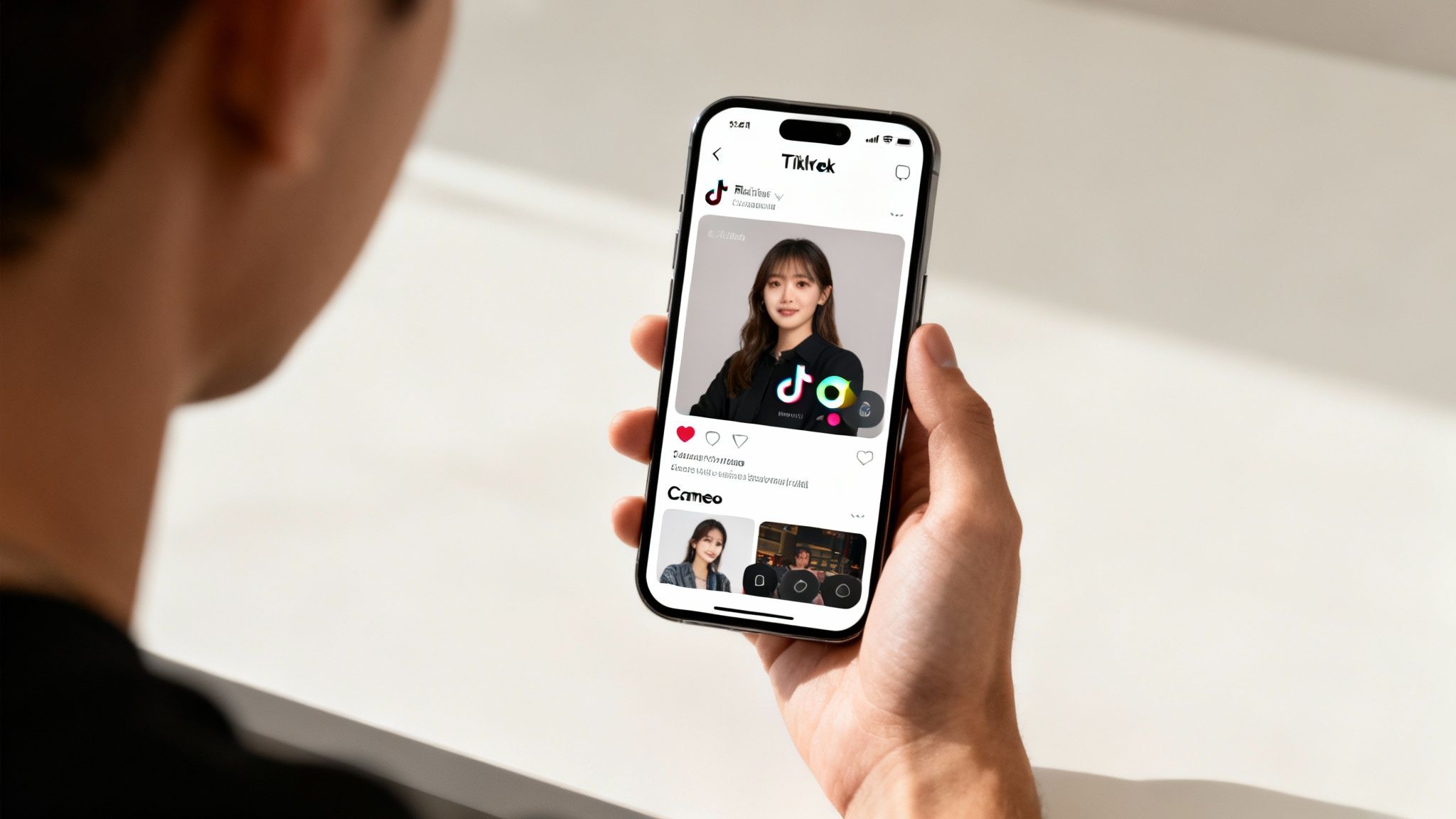
Here's a quick look at the features that really make Sora 2 stand out for social media pros.
Sora 2 Key Features for Social Media Marketers
| Feature | Description | Primary Social Media Use Case |
|---|---|---|
| Integrated Social Feed | Videos are shared directly to a public, algorithm-driven feed that promotes trending content. | Instantly puts your content in front of a potential audience, bypassing the need to build followers on a new platform. |
| Powerful Remixing | Users can tap a remix button on any video and apply a new text prompt to generate their own version. | Makes jumping on trends incredibly easy and encourages user-generated content around a brand's original video. |
| Hyper-Personalization | The 'Cameo' feature lets you insert a high-quality digital likeness of yourself into any video scene. | Lowers the barrier for creating personalized ads or content that features a specific person without a full video shoot. |
These features work together to create an environment where content doesn't just get made; it gets seen, shared, and reinvented by the community.
Unprecedented Growth and Adoption
The market's response to this integrated approach was nothing short of explosive. When OpenAI launched its Sora 2 model on September 30, 2025, it was bundled with the 'Sora' mobile app. The results were staggering.
In just 48 hours, it shot to the #1 spot on the US iOS App Store. It racked up over 164,000 downloads, even blowing past the ChatGPT app in popularity. This kind of meteoric rise sends a clear signal: people are hungry for AI tools that are social and seamlessly integrated into their daily habits.
To get a better sense of the tech powering this evolution, it's helpful to look at other AI tools transforming text into video. This wider context shows how Sora 2 is building on established ideas but adding its own unique, community-driven layer. It’s a clear sign that AI video is moving from a niche utility to a core element of how we create and share on social media.
Getting Your Hands Dirty: Your First High-Converting AI Video
Alright, let's move past the theory. This is where the magic happens—where your ideas turn into actual, scroll-stopping videos for your social feeds. We're going to walk through the entire creation process, focusing on the core Sora 2 text-to-video workflow that makes tools like this so incredibly powerful for marketing.
To keep things grounded, let’s run with a real-world example. Imagine you’re dropping a new line of sleek, urban sneakers on your Shopify store. The mission? Create a short, punchy video ad for TikTok that absolutely commands attention.
The Art of the Perfect Sora 2 Prompt
Think of your prompt as your director's brief. Honestly, it's the single most critical piece of the puzzle. A lazy prompt like "a video of sneakers" will get you a generic, unusable clip. You have to be specific.
A killer prompt nails three things: the visual style, the specific action happening on screen, and the emotional vibe you're going for.
Let's build a great Sora 2 prompt for our sneaker launch. We're not just asking for a picture; we're painting a scene.
Sora 2 Prompt Example: "A cinematic, 4K video of new white sneakers splashing through a puddle on a city street at golden hour. The shot is a dynamic close-up in slow motion, capturing water droplets in sharp detail. The mood is energetic and aspirational."
See the difference? This prompt gives the AI clear instructions on every level. It knows the look ("cinematic, 4K, golden hour"), the exact action ("splashing through a puddle in slow motion"), and the feeling you want people to get ("energetic and aspirational").
My Go-To Formula for Nailing Sora 2 Prompts Every Time
After tons of trial and error, I’ve found that a simple formula helps get consistent results. It's like a mental checklist that ensures you've given the AI everything it needs to bring your vision to life.
Here's the structure I use for almost every project:
- Shot & Style: Start with the camera and the overall aesthetic. Is it a tight close-up or a sweeping wide shot? Is the vibe commercial, gritty, or maybe futuristic? Think in terms of
dramatic close-up,vibrant commercial style, orwide-angle drone shot. - Subject & Action: Get crystal clear on who or what is in the shot and what they're doing. Instead of a vague
a person running, get specific witha woman with blonde hair in a ponytail running on a treadmill. - Environment & Lighting: Where is this all happening? The setting and lighting do the heavy lifting for the mood. Try things like
brightly lit studio with a clean white background,neon-lit Tokyo street at night, orsoft morning light in a forest. - Mood & Tone: How do you want the viewer to feel? Words like
uplifting,mysterious,playful, orintenseare your secret weapons for guiding the AI's creative choices.
Sticking to this structure means you're not just hoping for a good result—you're directing the AI to create it.
Bringing Your Product Photos to Life
For ecommerce brands, the image-to-video workflow is an absolute game-changer. You can take a standard, boring product photo right out of your Shopify catalog and inject it with motion and energy. It's the fastest way to create fresh ad creative without booking a single photoshoot.
Let's go back to our sneaker. You have a great shot of it on a plain white background.
Instead of a text-to-video prompt, your instructions would focus on animating that existing image. Something like this:
Animation Prompt: "Animate this product photo. Have the sneaker slowly rotate 360 degrees, with subtle light flares glinting off the reflective details. Add a gentle zoom-in effect to highlight the logo on the side."
This command tells the AI exactly how to add that crucial layer of visual interest. It’s an incredibly efficient way to pump out a bunch of video ads for A/B testing different hooks or calls to action. And while Sora 2 is the focus here, it's always smart to know what else is out there. Checking out tools like Postsyncer's AI Video Generator can give you a better sense of the entire landscape.
Refining Your Way to the Perfect Video
Heads up: your first try is almost never your final version. Working with AI is an iterative dance. Don't get frustrated if the first output is a little off. The whole point is to refine, tweak, and guide the AI toward what you want.
Here’s a simple process for iterating effectively:
- Analyze What You Got: Take a hard look at the video. What works? What doesn't? Maybe the "golden hour" lighting is perfect, but the slow-motion is a bit too slow.
- Tweak Your Prompt: Go back to your original prompt and make small, targeted changes. If the puddle splash wasn't dramatic enough, you could add "explosive splash" or "shot on a high-speed camera."
- Generate and Compare: Run the new prompt and see how it stacks up against the last one. Every time you do this, you learn a little more about how the AI thinks and interprets your words.
This feedback loop is how you really master the tool. It's these small adjustments that take a clip from "meh, it's okay" to a polished, high-converting asset that’s ready to drive sales.
Building Multi-Scene Narratives With the Sora 2 Storyboard Generator
Look, a single, flashy AI clip might stop someone's scroll for a second. But if you want to build a brand and actually keep people engaged, you need a story. That's where we move past basic text-to-video prompts and get into the real power of the sora 2 storyboard generator.
This is the feature that separates a one-off viral gimmick from a structured brand narrative. Think of it as the difference between a single photo and an entire photo album. The Sora 2 storyboard is how you create longer, more cohesive videos—perfect for product explainers, brand stories, or those "day in the life" videos that do so well on TikTok. You stop making clips and start telling stories.
This whole creative process is really a loop: you prompt an idea, generate the video, and then iterate on it until it's just right.
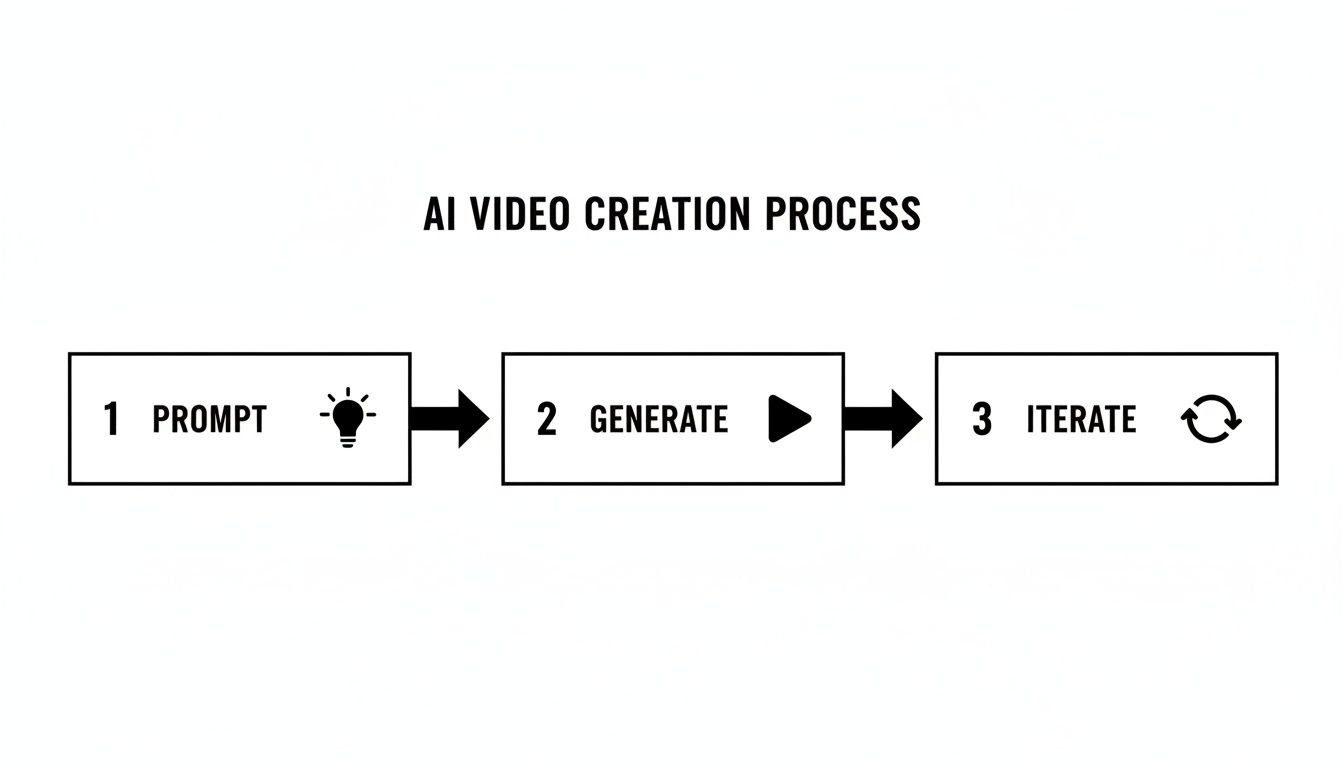
It’s never just a single step. The best results come from generating, reviewing, and refining until you nail the look and feel you're after.
From Concept to Cohesive Story
Let's say you're launching a new artisanal coffee brand. A quick shot of a steaming cup is okay, but a story that shows the journey from bean to brew? That's what gets people invested. The Sora 2 storyboard generator is exactly the tool for building that narrative, one scene at a time.
Honestly, the biggest headache with AI video has always been consistency. How do you keep the same character, the same vibe, the same aesthetic across multiple clips? The Sora 2 storyboard generator tackles this by linking your scenes, giving the AI crucial context as it moves from one generation to the next.
For our coffee brand, the story could unfold like this:
- Scene 1: A slick, slow-motion close-up of dark, roasted coffee beans tumbling.
- Scene 2: A barista—let's say, "a woman with red glasses and a black apron"—expertly grinding the beans.
- Scene 3: Steaming water being poured over the grounds in a pour-over brewer.
- Scene 4: The final shot—someone smiling as they take their first sip in a sunlit cafe.
By building this sequence in the storyboard, you're not just asking for four random clips. You're directing a mini-movie.
Pro Tips for Maintaining Consistency
If you want that seamless, professionally edited feel, you have to get specific with your prompts. Think like a film director giving very clear notes to your crew. The key is to be relentlessly specific—and even a bit repetitive—with your core descriptions.
Key Takeaway: To keep a character consistent, create a mini "character sheet" of keywords and reuse them in every single prompt for that character. For example, always use "a man in a navy blue suit with a silver watch," not just "a businessman."
This level of detail is non-negotiable for telling a coherent story. If you're not consistent with your prompts, the AI has no chance of being consistent with its output. It doesn't "remember" in the way we do; it only knows what you tell it for each individual generation.
Crafting Sequential Prompts That Work
Let’s break down exactly how you’d structure those prompts for the coffee brand video. Pay close attention to how certain keywords carry through from one scene to the next to lock in a cohesive visual style.
- Prompt for Scene 1: "Cinematic close-up, slow motion. Dark roasted coffee beans tumble onto a rustic wooden surface. Warm, golden morning light. Mood is premium and inviting."
- Prompt for Scene 2: "Medium shot, cinematic. A woman with red glasses and a black apron smiles as she grinds coffee beans. Background is a clean, modern cafe with warm, golden morning light."
- Prompt for Scene 3: "Extreme close-up, slow motion. Hot steam rises as water is poured into a glass coffee maker. Same warm, golden morning light. Focus is sharp on the water droplets."
- Prompt for Scene 4: "Over-the-shoulder shot. A customer takes a satisfying first sip of coffee from a white ceramic mug. The cafe is filled with that same warm, golden morning light. The mood is cozy and content."
By repeating phrases like "cinematic," "slow motion," and especially "warm, golden morning light," you’re giving the AI a strong stylistic anchor. And reusing the specific character description—"woman with red glasses and a black apron"—is absolutely vital for helping the AI render the same person across different scenes. This is how the storyboard becomes less of a clip assembler and more of a true narrative-building tool.
Optimizing and Exporting Videos for TikTok and Shopify
You’ve just created a fantastic AI video, but your job isn't done yet. In fact, this next part is where most people drop the ball. If you don't optimize your video for the specific platform it's going to live on, all that creative work can easily go to waste.
Turning a cool AI creation into a real business asset means tailoring it for destinations like TikTok and Shopify. A good video tool should make this last step feel effortless, not like a chore. The export settings in the sora 2 social media video tool are built with this in mind, letting you sidestep the headache of reformatting clips in another app. The goal is to get from idea to a live, high-performing post as fast as possible.
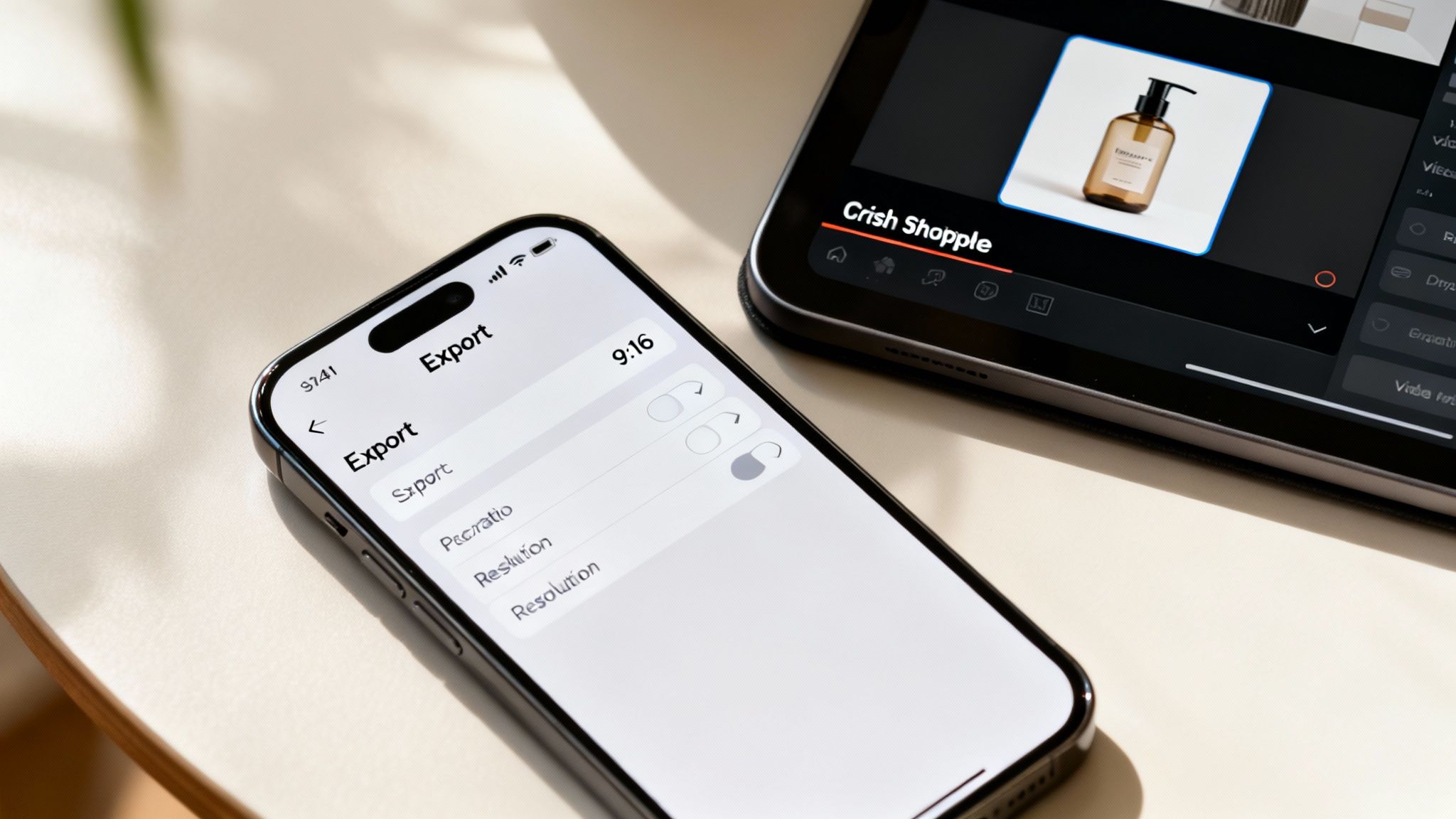
Let's walk through the specifics that make sure your videos don't just look good, but actually perform where it counts.
Nailing the Technical Specs for Maximum Impact
Before you even think about hitting that export button, let's talk tech specs. Getting these details right from the start means your video will look sharp and professional, not like a pixelated mess that screams "amateur."
Here are the go-to settings I use for pretty much everything on TikTok and Shopify:
- Aspect Ratio: 9:16. This is non-negotiable. For the full-screen experience on TikTok, Reels, and Shorts, you have to go vertical. It fills the screen and commands attention.
- Resolution: Stick with 1080p (1080x1920 pixels). I know 4K sounds impressive, but 1080p is the sweet spot. It provides fantastic quality without creating huge files that kill your Shopify page speed or take forever to upload.
- File Format: MP4. It’s the universal standard for a reason. You get the best blend of high quality and reasonable file size, plus it works on virtually any device or platform you can think of.
Setting these up correctly inside the tool saves so much time later.
A Practical Checklist for TikTok Ads
TikTok is its own world with its own rules. A video that crushes it on another platform can completely fall flat here. Once you've exported your clip from the Sora 2 tool, there are a few extra things you need to do to make it feel native to the platform.
- Add Trending Audio in the App. This is a big one. Don't bake music into your Sora 2 video generator. Export it silent and then add a trending sound directly in the TikTok app. The algorithm heavily favors content using popular audio, giving you a huge, free boost in discoverability.
- Use TikTok's Native Text. Just like with audio, add your captions and calls-to-action using TikTok's built-in text editor. It helps your ad feel less like a polished commercial and more like something a real creator would post.
- Encourage Engagement. The Sora 2 tool has its own remix feature, and that's a powerful lesson. When you post on TikTok, ask people to interact. A simple prompt like "Remix this with your reaction!" can be all it takes to spark a wave of user-generated content and expand your reach.
Driving Conversions with Shopify Product Videos
With Shopify, the game is totally different. You're not chasing viral fame; you're trying to make a sale. Your product video needs to be clean, clear, and persuasive, showing off your product without any distractions.
For Shopify, your product video's main job is to answer customer questions visually. Show the product in action, highlight its quality, and demonstrate its value in a way that static images simply can't.
Focus on creating a crisp, well-lit video that puts your product on a pedestal. After exporting, embed it directly on your product page—I find that placing it right below the main image gallery works best. This way, potential buyers will see it without having to go searching.
The launch of the Sora 2 social video tool is a big deal, especially for anyone marketing on vertical feeds, where 80% of US social video campaigns succeed, according to 2025 HubSpot data. The tool’s built-in feed and remix functions are a powerhouse for generating social-native content on the fly. You can read up on more insights on the Sora 2 review for 2025 on skywork.ai to see how it shortens marketing workflows. This ability to experiment rapidly is what helps you find those winning ads for both TikTok and Shopify.
Advanced AI Video Marketing Strategies and Pro Tips
Once you've got the basics down, you can start using a Sora 2 social media video tool for more than just one-off videos. This is where you shift from simply making content to building a smarter, faster AI video marketing machine from the ground up.
Stop thinking of this as just a video generator. It’s your own personal creative lab—a place to test, learn, and iterate at a pace that was impossible just a year ago. Here's the playbook for making that happen.
Run Rapid-Fire A/B Tests at Scale
The biggest game-changer with AI video is how ridiculously fast you can test creative ideas. In the old days, A/B testing a video ad meant two separate shoots, two budgets, and weeks of waiting. With a tool like this, you can do it in an afternoon.
Imagine you're launching a new skincare product. Instead of guessing what resonates, you can generate and test multiple ad variations in just a few minutes.
- Hook A (The Problem): Start with a prompt like, "A close-up of a person looking concerned at their dry skin in a mirror, then a shot of them applying a rich, creamy moisturizer."
- Hook B (The Benefit): Try something different, like, "A joyful person with glowing, hydrated skin walking confidently through a sunlit park, smiling."
- Hook C (The Science): Get more abstract with it. "A dynamic, microscopic animation of hyaluronic acid molecules expanding, transitioning smoothly to the product bottle."
You can create and launch all three of these on TikTok in a single day. By tomorrow, you'll have real-world data showing you which hook actually works, letting you put your budget behind a proven winner without the massive upfront cost. That kind of speed is a massive competitive edge.
Prototype Your Big Ideas Before Production
Even if you're planning a larger campaign with a full-blown live-action shoot, a Sora 2 tool can be your secret weapon in pre-production. Before you sink thousands into locations, actors, and camera crews, you can create an AI-generated animatic or video storyboard to bring the concept to life.
This is invaluable for two reasons:
- Get Everyone on the Same Page: It's so much easier to get buy-in from your team or clients when you can show them a moving prototype. A script is just words on a page; a video, even a rough one, makes the vision real.
- Iron Out the Kinks Early: Seeing the idea in motion often reveals pacing problems or visual gags that just don't land. You can spot and fix these creative issues before a single dollar is spent on the actual shoot.
Let's Talk Ethics and Authenticity
As we lean more on AI in marketing, we have to talk about using it responsibly. Building and keeping trust with your audience is everything, and that means being smart and ethical about how you use these powerful tools.
OpenAI's approach to Sora 2 safety provides a solid blueprint here. They're focusing on user well-being with things like teen protections and human moderation, rather than just chasing ad revenue. This strategy can build a lot of trust, which is crucial when 70% of Gen Z says they expect brands to use AI ethically.
My Advice: Just be transparent. You don't need a giant "Made with AI" banner on everything, but don't ever use AI to create fake testimonials or mislead your customers. The point of AI is to boost your creativity, not to deceive your audience. Authenticity is still your most valuable asset.
Sora 2 vs. Traditional Video Production
To really see how much things have changed, it helps to put the old and new methods side-by-side. For the kind of fast-paced video ads needed for social media, the comparison is pretty stark.
| Factor | Sora 2 AI Tool | Traditional Video Production |
|---|---|---|
| Speed | Minutes to hours from concept to final video. | Weeks to months for planning, shooting, and editing. |
| Cost | Low subscription or generation-based fees. | Can range from thousands to tens of thousands of dollars. |
| Iteration | Nearly instant. Tweak a prompt and regenerate. | Expensive and time-consuming reshoots are often needed. |
| Flexibility | Easily create variations for different platforms. | Locked into the footage that was shot on set. |
Of course, this doesn't mean traditional production is dead. For a high-end brand film, it’s still the gold standard. But for the sheer volume of content you need to win on social media, the efficiency of a tool like the Sora 2 social media video tool is a total game-changer, especially for small businesses and solo creators trying to compete.
Answering Your Top Questions About Social Media Video AI
Alright, let's get into some of the real-world questions that come up once you start creating videos with a Sora 2-style social media video tool. Think of this as the "what ifs" and "how to's" that move you from just playing around to actually producing content that works for your brand. I want to give you some straight answers to help you feel confident using the tool.
We'll dig into some of the finer points, from nailing character consistency in a storyboard to knowing the rules of the road for using your AI videos in a business setting.
Can You Actually Create Videos With Consistent Characters?
This is a big one. It's probably the most common hurdle in AI video right now, but the short answer is yes, you can get pretty close. The Sora 2 storyboard feature is your best friend here, but it requires you to be incredibly specific and consistent with your prompts.
Simply asking for "a man" in each scene won't cut it. You need to give the AI a rock-solid, unique description to latch onto.
- Example Prompt Detail: "A man with short brown hair, a blue jacket, and glasses."
The trick is to use that exact description every single time you want that character on screen. Repetition is key. It acts as a clear anchor for the AI, significantly boosting the chances of keeping your character's look consistent throughout your video. It’s a feature OpenAI is constantly improving, so it gets better all the time.
What’s the Best Way to Write Prompts for TikTok Ads?
For TikTok, everything boils down to grabbing attention in the first three seconds. Your prompts should scream energy and visual punch. Focus on action, a specific aesthetic, and camera work.
I've found this formula works well:
- Lead with the style: "Vibrant, high-energy, commercial style..."
- Describe a quick action: "...a product unboxing with colorful confetti exploding everywhere."
- Direct the camera: "...filmed with a dynamic tracking shot that quickly zooms in on the logo."
- Lock in the format: "...a vertical 9:16 video."
Structuring your prompts this way helps the AI generate clips that feel native to the platform—fast, exciting, and anything but a boring, static ad.
Are There Any Limits on Using These Videos for My Business?
For the most part, the videos you generate are yours to use commercially. That means you're clear to use them in marketing campaigns, for Shopify product listings, and on all your social ad channels. This is a massive plus for businesses using a Sora 2 social media video tool.
The main thing to remember is that you have to play by the rules. You can't create anything harmful, deceptive, or explicit. And if you’re using a ‘cameo’ feature to generate a likeness of a real person, you absolutely need their permission first.
Policies are always evolving, so I always recommend giving the latest terms of service a quick read before you go all-in on a big campaign. It's just smart practice to ensure your content is both powerful and compliant.
Ready to stop imagining and start creating? With saro2.ai, you can build stunning, Sora 2-style videos for your social media and ecommerce channels today. Create cinematic text-to-video, animate your product images, and build compelling stories with our multi-scene storyboard generator. Get started now at saro2.ai and bring your brand's vision to life.