A Guide to the Sora 2 Short Video Generator
Discover how to use the Sora 2 short video generator with our practical guide. Learn to write powerful prompts and create stunning AI videos for marketing.
At its heart, the Sora 2 short video generator is a tool that turns your words into stunning, movie-like short videos. Think of it as a way to create everything from a high-energy TikTok ad to a sleek product video for your Shopify store, all without touching a camera or complicated editing software. It’s a genuine game-changer, opening up professional-quality video to anyone with an idea.
Unpacking the Power of Sora 2
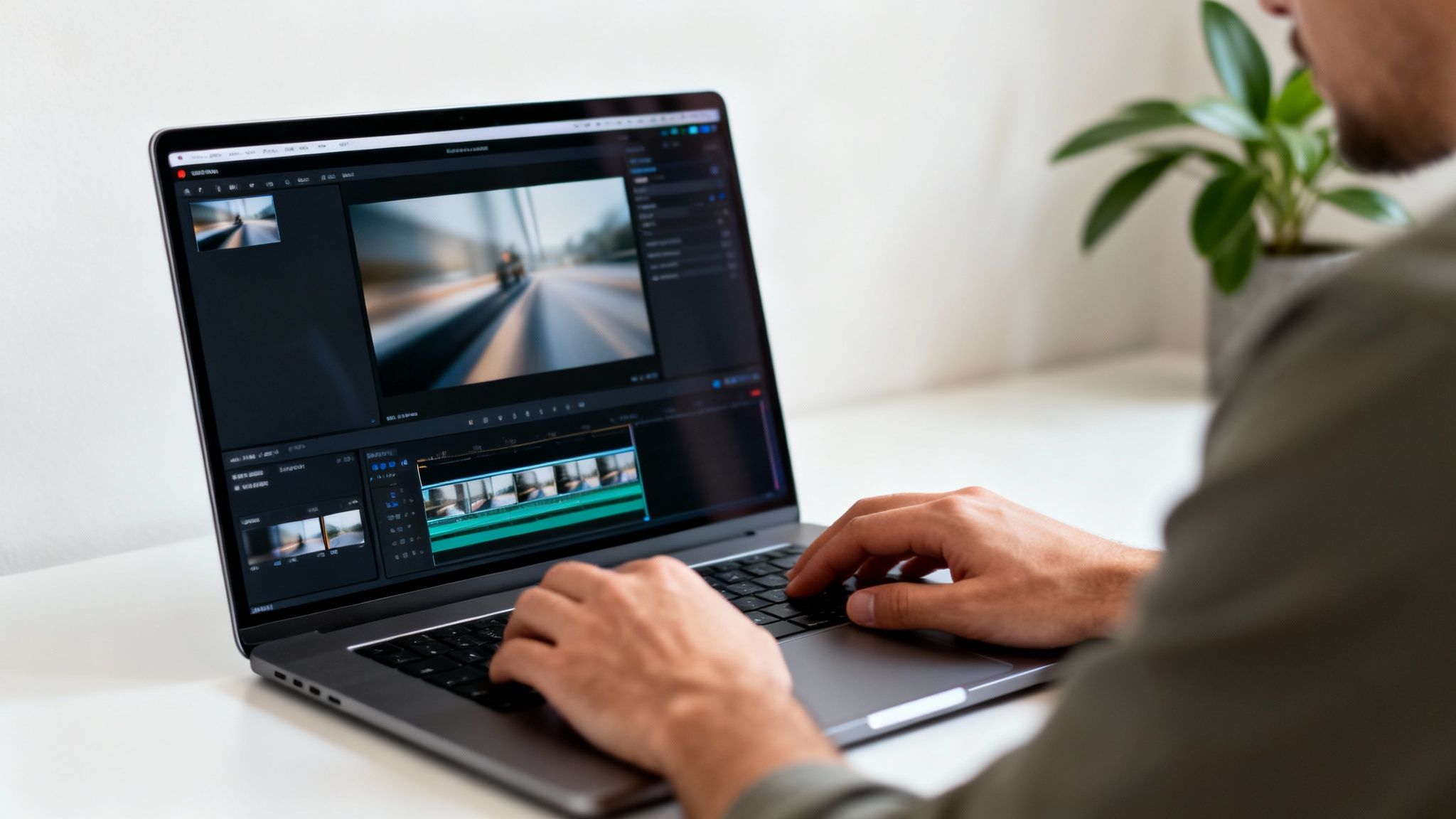
The excitement around AI video isn't just noise; it’s a real shift in how we create content. Early AI tools often gave us awkward, uncanny valley clips, but Sora 2 delivers a level of detail and realism from a simple text prompt that's honestly mind-blowing.
The secret sauce is its deep understanding of the physical world. Instead of just slapping pixels together based on keywords, Sora 2 actually simulates how people, objects, and environments are supposed to interact. That's what separates its output from a basic animation and makes it feel like a real, believable video.
To get a clearer picture of what this tool brings to the table, here’s a quick breakdown of its main features.
Sora 2 Core Capabilities at a Glance
| Feature | Description | Best Use Case |
|---|---|---|
| Sora 2 text-to-video | Generates video clips directly from detailed text descriptions. | Creating original scenes, ads, and conceptual visuals from scratch. |
| Image-to-Video | Animates a static image, adding motion and life to it. | Bringing logos, product photos, or illustrations to life. |
| Video-to-Video | Modifies an existing video by changing its style or setting. | Re-styling old footage or applying a consistent aesthetic to clips. |
| Scene Extension | Extends a video clip forwards or backward in time seamlessly. | Creating longer shots or looping videos without jarring cuts. |
| Sora 2 storyboard generator | Connects multiple generated scenes to create a cohesive narrative. | Building short stories, explainer videos, or multi-part ads. |
These capabilities work together to give you a complete toolkit for modern video creation.
From Text to High-Impact Visuals
The main draw of the Sora 2 text-to-video model is how it takes a creative prompt and spits out a polished visual. For creators, this smashes the traditional barriers that made video production so difficult and expensive.
Here’s what that looks like in the real world:
- Rapid Prototyping: Instead of spending a week and a small fortune on one ad concept, marketers can A/B test a dozen different video ideas in an afternoon.
- Limitless Creativity: Your imagination is the only real constraint. If you can write it down, Sora 2 can probably build it, freeing you from the headaches of budgets and logistics.
- Enhanced Engagement: Brands can finally keep up with the demand for fresh content, pushing out unique and eye-catching videos for social media to keep their audience hooked.
A New Era in AI Video Generation
The tech has come a long way, fast. The development of Sora 2 represents a major upgrade, cracking advanced world simulation through massive data training. This sets a whole new bar for realism and control in AI video generation.
This evolution makes Sora 2 an essential tool for anyone working in digital marketing or content creation today. To see just how far ahead it is, you can check out some Sora 2 alternatives and comparisons by exploring explore other top AI video generators and compare the features yourself. The difference really shows how much the field has matured.
Writing Prompts That Generate Incredible Videos
The final quality of your video comes down to one thing: the quality of your Sora 2 prompts. A vague description will get you a vague, generic video. To really get something special, you have to start thinking like a filmmaker. This is where the magic happens, and it's what separates a forgettable AI clip from a cinematic short video that people actually want to watch.
Think of your prompt as a script, a shot list, and a director's brief all rolled into one. The trick is to layer in details, starting with the big picture and then drilling down into the specific style and "camera" work.
The Anatomy of a Killer Prompt
Crafting a prompt that really delivers means thinking about a few key building blocks. When you combine them, you give the AI a rich, detailed set of instructions to work from.
-
Subject and Action: Let's start with the basics. Who or what is the star of your scene, and what are they doing? Get descriptive. Don't just say "a woman walking." Instead, try something like, "a woman in a long, flowing red dress walks confidently down a cobblestone alley." See the difference?
-
Environment and Setting: Where is all this taking place? Paint a picture with sensory details. Are we on a "sun-drenched beach at sunset" or a "futuristic, neon-lit city street in a gentle rain"? The setting creates the world.
-
Camera Cinematography: This is where you get to be the director. Tell the AI exactly how you want the scene to be filmed. Using terms like "extreme close-up," "dynamic dolly shot," or a "sweeping crane shot" can completely change the feeling of the video.
-
Lighting and Mood: Nothing sets the mood faster than lighting. Is it "soft, golden hour light filtering through the trees" or maybe something more intense like "dramatic, high-contrast film noir lighting"? You can even specify a "vibrant, pulsating neon glow."
-
Artistic Style: What's the overall vibe? You could go for "photorealistic, 8K, highly detailed" for a super-realistic look. Or, you could get more creative with a style like "in the whimsical, symmetrical style of Wes Anderson" or a "vibrant anime aesthetic."
By layering these elements, you're not just asking for a video anymore. You're handing the AI a detailed blueprint to build your vision, piece by piece. The result is something intentional and precise.
Real-World Prompt Examples
Let's put this theory into practice with some Sora 2 video examples. Here are a few prompts tailored for specific goals, showing how these components come together.
1. Vibrant TikTok Ad for a Beverage Brand Here, the goal is pure energy. It needs to be eye-catching and focus on the product, all in just a few seconds. This is a perfect use case for Sora 2 for TikTok ads.
- Prompt Example:
Dynamic orbiting shot of a glistening can of 'Zest' soda, condensation dripping down its sides. The can is surrounded by exploding slices of fresh oranges and lemons in slow motion. The background is a vibrant, abstract splash of orange and yellow colors. Bright, energetic commercial lighting.
2. Sleek Ecommerce Product Video for a Smartwatch This one needs to feel clean and sophisticated. The focus is all on the product's design and high-tech features, making it a great example of Sora 2 for ecommerce.
- Prompt Example:
Extreme close-up macro shot of a sleek, minimalist smartwatch with a brushed titanium finish. The camera slowly pans across the watch face, which displays a glowing, futuristic data animation. The background is a clean, dark, out-of-focus studio setting. Soft, cinematic studio lighting highlights the metallic texture. Photorealistic, 4K.
3. Narrative Clip for a Travel Company For this, we want to tell a tiny story and spark some emotion. The prompt should make viewers feel like they're right there.
- Prompt Example:
Wide shot from behind of a solo hiker with a backpack standing on a mountain peak at sunrise. The hiker looks out over a sea of clouds covering the valley below. The sun creates a beautiful lens flare. Cinematic, golden hour lighting, in the style of a National Geographic documentary.
Refining and Improving Your Video
Don't be discouraged if your first attempt isn't perfect—that’s just part of the process. Iteration is your best friend. Look at the video and figure out what’s not quite right. Is the camera too still? Try adding "handheld camera movement" to make it feel more organic. Is the character’s expression off? Get specific with something like "a look of wonder and excitement."
Remember to use negative prompts, too. They’re great for telling the AI what you don't want. For example, if you're creating a grounded, futuristic city scene but keep getting flying cars, just add --no flying cars to your prompt. It’s a simple way to steer the AI away from clichés. For more tips on organizing your creative assets, you can review our technical documentation and sitemap.
If you’re struggling with character consistency across different scenes, the key is to be relentlessly specific. Reinforce key details in every single prompt. The more you repeat descriptors like "woman with a green backpack and blonde hair tied in a bun," the better the AI can maintain that continuity. Think of it as a conversation; each new prompt is your chance to clarify exactly what you have in mind.
Creating Cohesive Stories with the Storyboard Generator
This is where the real magic happens. While you can get some incredible results from a single prompt, the Sora 2 short video generator truly shines when you start weaving those clips together into a full story. The Sora 2 storyboard generator is your key to doing just that.
Its main job is to solve one of the trickiest problems in AI video: continuity.
You've probably seen AI videos where a character's shirt changes color from one shot to the next. That's a continuity break. The storyboard tool helps you achieve 'world continuity,' which just means making sure your characters, settings, and props stay consistent across different scenes. It helps the AI understand that the "woman in the blue jacket" in your first shot is the same person who shows up again three scenes later. Getting this right is crucial for any kind of professional content, especially if you're making Sora 2 for TikTok ads or product videos for your Shopify store.
The process for each scene is pretty straightforward—you're just turning an idea into a prompt that the AI can work with.
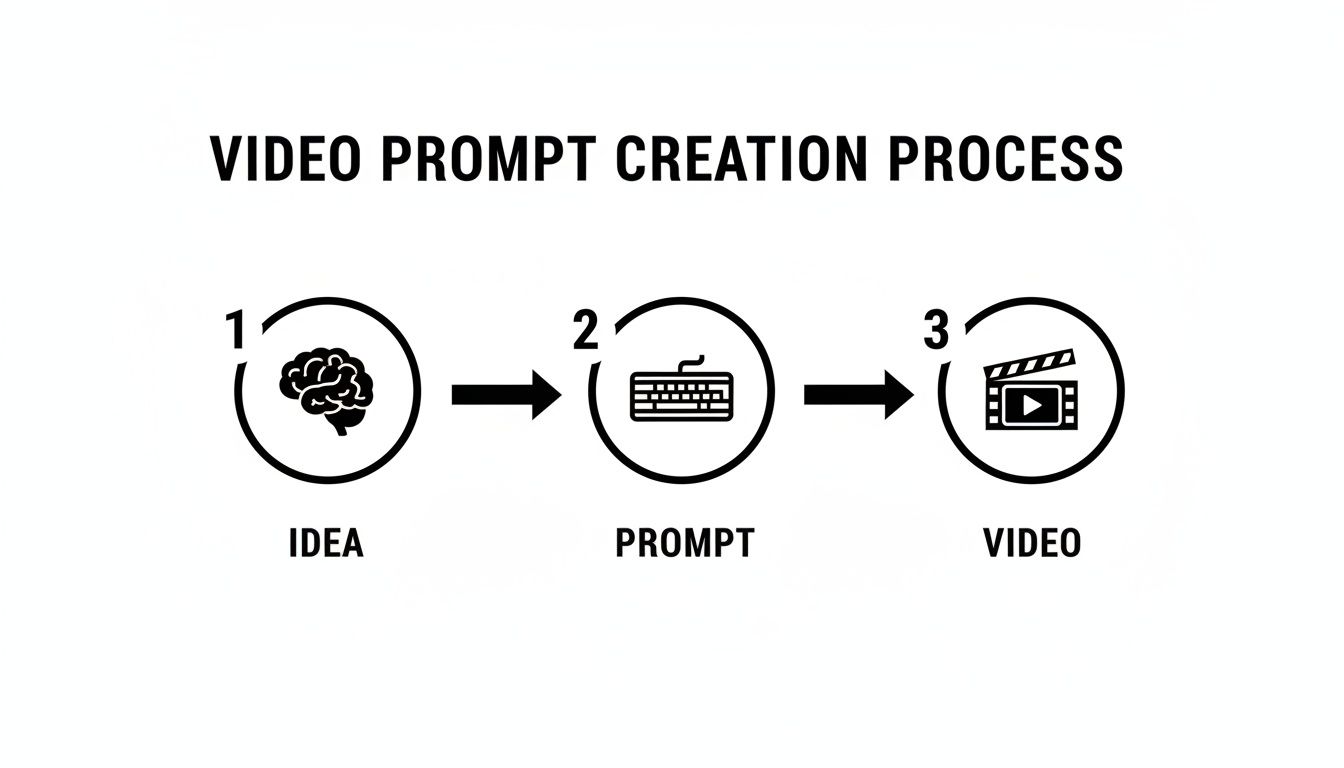
Think of the storyboard as just stringing a few of these processes together to tell a complete story.
Planning Your Narrative Arc
Before you even open the storyboard tool, take a minute to sketch out your idea. I've found that the best short videos—whether for an ad or just a quick brand story—almost always follow a simple beginning, middle, and end structure.
It’s a classic for a reason.
- The Hook (Beginning): Your first few seconds are everything. You need to stop the scroll. Think about a visually arresting shot, a provocative question, or a problem your audience immediately relates to.
- The Story (Middle): Here's where you build on the hook. Maybe you introduce your product, follow a character's journey, or expand on the initial idea. The key is to create momentum and keep the viewer engaged.
- The Call to Action (End): Don't leave them hanging! Your final scene needs to provide a satisfying conclusion or a clear next step. For an e-commerce brand, this is your "Shop Now," your logo reveal, or your special offer.
Mapping this out first helps you write much sharper prompts for each scene, giving your final video a sense of purpose.
A Coffee Ad Storyboard in Action
Let's make this real. Imagine we're creating a 30-second ad for a new coffee brand, "Aura Beans." The story is simple: our coffee transforms a groggy morning into a productive day.
We'll build our storyboard with three distinct scenes, paying close attention to the prompts to keep everything consistent.
Scene 1: The Gloomy Morning
First, we need to set the stage with the "before." A classic, relatable, low-energy morning scene.
- Prompt:
Wide shot of a tired person in grey pajamas sitting at a kitchen table, sunlight barely filtering through the window. The room is muted and blue-toned. The person looks groggy, staring into an empty mug. Melancholy, slow-paced mood.
Scene 2: The Aura Beans Transformation
Now, we introduce our hero: the coffee. This is the pivot point of the ad.
- Prompt:
Hard cut to: a close-up shot of steaming hot coffee being poured into the same mug from a bag of "Aura Beans." Rich, warm, golden lighting fills the frame. The person's hands are now visible, holding the mug with anticipation.
Pro Tip: I like to include camera directions like "Hard cut to:" directly in my prompts. It gives the AI a clear signal on how to transition between scenes and makes the final edit feel much more deliberate and professional.
Scene 3: The Energized Afternoon
Finally, the "after." We close the loop and show the positive result of our product.
- Prompt:
Matching shot of the same person from Scene 1, now smiling and dressed in bright clothes, working energetically on a laptop. The room is now filled with bright, warm sunlight. The "Aura Beans" bag and a finished cup of coffee are visible on the table. Upbeat, inspiring mood.
By carrying over details like "the same person" and "the same mug" while intentionally shifting the lighting and mood, we're giving the Sora 2 storyboard generator all the clues it needs. This is how you move from a collection of random clips to a cohesive story that actually connects with people—and sells.
Getting Your Videos Ready for TikTok and Ecommerce
So you've just created a killer clip with the Sora 2 short video generator. That's a huge win, but your work isn't quite done yet. A fantastic video can easily flop if it isn't properly formatted for the platforms where your audience actually spends their time—whether that's scrolling through TikTok, tapping through Reels, or browsing your Shopify store. This is a key part of any AI video marketing strategy.
The very first thing to lock in is the aspect ratio. For short-form video on platforms like TikTok and Instagram, the vertical 9:16 aspect ratio is king. It's not optional. This format completely fills a phone screen, creating that immersive, full-screen experience that keeps people watching. When you're ready to export from Sora 2, make sure this is the first setting you check.
Next, you have to find the sweet spot between video quality and file size. You want a sharp, professional-looking video, but an enormous file will kill your Shopify page's load time and potentially drive customers away. I've found that exporting at a 1080p resolution (1080x1920 pixels) is the perfect balance. Using the MP4 format with H.264 compression will keep the file size down without making your video look pixelated.
Optimizing for Social Media
Simply dropping your raw video into the TikTok or Instagram feed isn't enough to grab attention anymore. The real trick is to add platform-native elements right after you generate the video, which helps your AI-powered content feel more human and current.
Getting the technicals right is crucial, and it’s always a good idea to stay updated by understanding the perfect format for Instagram video.
Here are a few post-production tweaks I always make that have a huge impact:
- Jump on Trending Audio: Don't bother adding music in Sora 2. Instead, grab a trending sound directly from the TikTok or Instagram app. The algorithms love this and will often give your video a nice little push.
- Add Text Overlays: Use the built-in text tools to add a hook in the first three seconds or to caption key moments. This is a lifesaver for people watching with the sound off (which is a lot of them).
- Use Interactive Stickers: Polls, quizzes, and "add yours" stickers are engagement gold. They invite viewers to participate, which the platforms reward with more reach.
These small additions help your Sora 2 creation blend in seamlessly, making it feel less like a jarring ad and more like something that belongs in the feed.
Driving Sales on Ecommerce Platforms
When it comes to your Shopify store, the goals shift from pure engagement to driving sales. Your video needs to show off the product, build trust, and nudge the customer toward that "Add to Cart" button. A fantastic way to do this is with a seamless looping video. It lets a potential buyer see the product from all sides without ever having to hit replay.
The global AI video generator market is poised to explode, with some analysts projecting growth to over USD 2.5 billion by 2032. This shift is especially huge for small and medium-sized businesses, who can now create pro-level product videos without needing a massive budget. Sora 2 is at the forefront of this revolution.
Another powerful ecommerce play is A/B testing. Because the Sora 2 short video generator is so fast, you can whip up several ad variations in no time. Test out different hooks, color schemes, or calls to action to see what actually works. For example, you could generate one video with a fun, bright vibe and another with a more sophisticated, minimalist look. Run both as ads and let the data tell you which one converts better. It takes the guesswork out of your marketing spend.
For even more strategic insights, feel free to explore our comprehensive sitemap of resources.
Export Settings for Popular Platforms
To make things even easier, here's a quick reference table I use to make sure my videos are always perfectly optimized for each platform.
| Platform | Aspect Ratio | Recommended Resolution | File Format |
|---|---|---|---|
| TikTok | 9:16 | 1080x1920 | MP4 |
| Instagram Reels | 9:16 | 1080x1920 | MP4 |
| Shopify | 1:1 or 9:16 | 1080x1080 or 1080x1920 | MP4 |
Getting these settings right from the start saves a ton of headaches later and ensures your hard work looks just as good on someone's phone as it did on your screen.
Taking Your Videos to the Next Level with Creative Workflows
Alright, once you've gotten the hang of text prompts and storyboards, it's time for the real fun to begin. This is where you stop treating the Sora 2 short video generator like a vending machine and start treating it like a creative partner. The goal here is to blend what the AI can do with other techniques to build a style that’s all your own.
We're moving beyond just typing a sentence and hitting 'generate.' Let's dive into workflows that give you more granular control and unlock some serious creative potential.
Breathing Life into Static Images
One of the most powerful tools in the arsenal is the Image-to-Video function. For anyone in e-commerce or digital art, this is an absolute game-changer. Instead of trying to describe your product or artwork from scratch, you can just upload a high-quality image and use a prompt to animate it.
Think about the possibilities this opens up. You're no longer at the mercy of the AI's interpretation of your product; you're starting with the real thing.
Imagine you have a crisp, clean studio shot of a new sneaker for your Shopify store. It looks great, but it's just… sitting there. With Image-to-Video, you can add motion that would otherwise require a professional VFX artist and a high-speed camera.
- Prompt Idea: "Make water droplets elegantly splash around the shoe in slow motion, with cinematic lighting catching the mist."
The AI takes your photo as the foundation and builds the animation on top of it. This means your product's colors, shape, and branding stay perfectly intact while it's surrounded by eye-catching, dynamic effects. It's a killer technique for social media ads or hero shots on your product pages.
Digital artists can get in on this, too. A still landscape painting can suddenly have trees swaying gently in the wind or clouds drifting across the sky. It turns a beautiful static piece into a living, breathing moment.
Creating Hybrid Video Productions
Some of the most incredible content I've seen comes from mixing AI clips with real-world, live-action footage. This hybrid approach lets you create scenes that would be wildly expensive or just plain impossible to film traditionally. You essentially have a personal VFX studio at your fingertips.
Here are a few practical ways I've seen this work brilliantly:
-
Animated Backgrounds: Film your talent in front of a green screen, then have Sora 2 generate a sprawling futuristic city or an enchanted forest to key in behind them. Your location budget just dropped to zero.
-
Abstract B-Roll: We all need those interesting shots to break up an interview or a documentary. Instead of using generic stock footage, generate some unique abstract visuals—think flowing liquid metal or kaleidoscopic light patterns—to keep things fresh and on-brand.
-
VFX Pre-Visualization: Before you spend thousands on a complex special effects shot, use Sora 2 to create a quick "pre-viz." Want to see how a magical portal might look opening up in the middle of a city street? Generate a few versions to nail down the camera angle and style before the real production begins.
This isn't about replacing traditional filmmaking. It's about augmenting it. You're adding a layer of impossible beauty or surrealism to your real-world footage, creating something that truly stands out from the noise.
Developing Your AI-Assisted Style
Honestly, the best advice I can give is to just get in there and experiment. Don't box yourself into what you think an "AI video" is supposed to look like. Generate painterly textures and overlay them on live-action footage. Create a short, looping animation of your brand's logo and use it as a subtle transition.
It's this playful, experimental mindset that leads to the most exciting results. When you start combining different inputs—text, images, and your own video clips—you can really start to push the tool and develop a signature style. To get a sense of all the tools and resources available for your projects, you can explore the full site structure and available resources.
At the end of the day, think of the Sora 2 short video generator as just one amazing tool in your creative toolkit. When you combine its power with your existing filmmaking skills, the storytelling possibilities become almost limitless.
Frequently Asked Questions About Using Sora 2
As you start working with the Sora 2 short video generator, some practical questions are bound to pop up. Let's tackle the most common ones I hear from creators. This isn't a formal user manual—think of it more as a cheat sheet to help you sidestep common roadblocks and get your projects done faster.
Whether you're making a quick TikTok ad or a more involved product demo, these answers should clear things up.
Can I Make Videos Longer Than 60 Seconds?
Right now, no. Sora 2 is really optimized for the short-form world, so individual clips are capped at 60 seconds. Honestly, for social media and most ads, that’s the sweet spot anyway. You want to grab attention immediately.
But what if you need something longer? The answer is to think in scenes. Just use the Sora 2 storyboard generator to create a series of connected clips. You can make a 15-second intro, a 30-second middle, and a 10-second conclusion. Then, just drop those clips into any video editor and stitch them together. It's a simple workaround that actually gives you more granular control over your final edit.
How Do I Keep a Character Consistent Across Different Scenes?
This is the big one for anyone trying to tell a story. Getting a character to look the same from one clip to the next can feel tricky, but the solution is all in the details of your prompt.
Vague prompts are the enemy of consistency. Don't just ask for "a man in a suit." You need to give the AI specific, memorable details to latch onto.
- Get Specific: Instead, try something like, "a man with short salt-and-pepper hair, wearing a charcoal grey suit, a thin black tie, and a silver watch on his left wrist."
- Repeat, Repeat, Repeat: Use that exact description in the prompt for every single scene featuring him.
For an even better result, use Sora 2's "cameo" feature. It’s designed specifically for this purpose—to lock in a character's appearance across an entire storyboard. Combine a hyper-detailed prompt with the cameo feature, and you'll get the consistency you're looking for.
Can I Edit the Videos I Generate?
Not only can you, but you absolutely should. I always tell people to treat Sora 2 as their raw footage generator. It creates amazing B-roll and visual assets, but the real magic happens in post-production.
Export your clips and bring them into your favorite editor. It doesn't matter if you use a professional suite or a free app.
Once your clips are in the timeline, you have total creative control. Add text overlays, do some color grading, drop in background music, or record a voiceover. This is how you transform a cool AI-generated video into a polished, professional piece of content that's ready for any campaign. If you want a full breakdown of all the platform's features, you can explore the complete sitemap for our English resources.
Here's how I think about it: Sora 2 is your camera crew, and your editing software is the post-production studio. Using them together gives you a powerful, end-to-end workflow. This hybrid approach is exactly how the pros are scaling their video output without letting the quality slip.
Ready to move from idea to execution? With the saro2 AI video generator, you can produce cinematic short videos from a few lines of text. Explore our Sora 2 style models, bring concepts to life with text-to-video, and build complete stories with our Storyboard feature. No invite code needed. Start generating your first video today.