How to Make Promotional Videos with the Sora 2 AI Video Generator
Learn how to make promotional videos with Sora 2 AI. A practical workflow for high-impact text-to-video ads on TikTok and Shopify.
Not long ago, making a promotional video meant shelling out for expensive cameras, wrestling with complicated editing software, and setting aside a serious budget. Now? It’s often as simple as writing a few lines of text. Powerful AI tools like the Sora 2 video generator are here, and they can spin your ideas into cinematic-quality videos, turning what was once a massive production into something you can do this afternoon.
The End of Big-Budget Video Production
If you're running a small business, a creative project, or a Shopify store, you know the struggle. Professional video content always felt just out of reach, gated behind the need for film crews, fancy gear, and specialized software. This left a massive gap where only brands with deep pockets could really compete on platforms that live and breathe video.
Well, that game has completely changed.
AI video generators like the upcoming Sora are leveling the playing field, giving anyone the power to produce stunning promotional material without a single piece of traditional filming equipment. This isn't just about convenience; it's a fundamental shift in how marketing content gets made, especially for creating Sora 2 for TikTok ads and ecommerce product videos.
A New Era for Digital Advertising
It's impossible to overstate just how critical video has become. We're at a turning point where digital video ads are attracting enormous investment. In 2025, U.S. businesses are projected to spend a staggering $85 billion on digital video ads. For the first time ever, that figure will officially blow past the $59 billion spent on traditional TV advertising.
Globally, the numbers are even bigger—spending is expected to climb over $207.5 billion in 2025. This explosion is fueled by platforms like TikTok and Instagram, where short, snappy videos are the main way people communicate. For a growing brand, mastering AI video marketing strategies related to Sora 2 isn't a "nice-to-have" anymore. It's essential. You can dig deeper into these video marketing trends here.
The real power of AI video isn't just about saving money. It's about speed and creative freedom. You can test a dozen ad concepts using Sora 2 prompts in the time it used to take to plan a single photoshoot.
A Simplified Workflow for Modern Creators
The new way of making a promotional video is direct, efficient, and free of the old roadblocks. Your journey goes from a spark of an idea, straight to a Sora 2 video generator, and out to a finished video. It’s that simple.
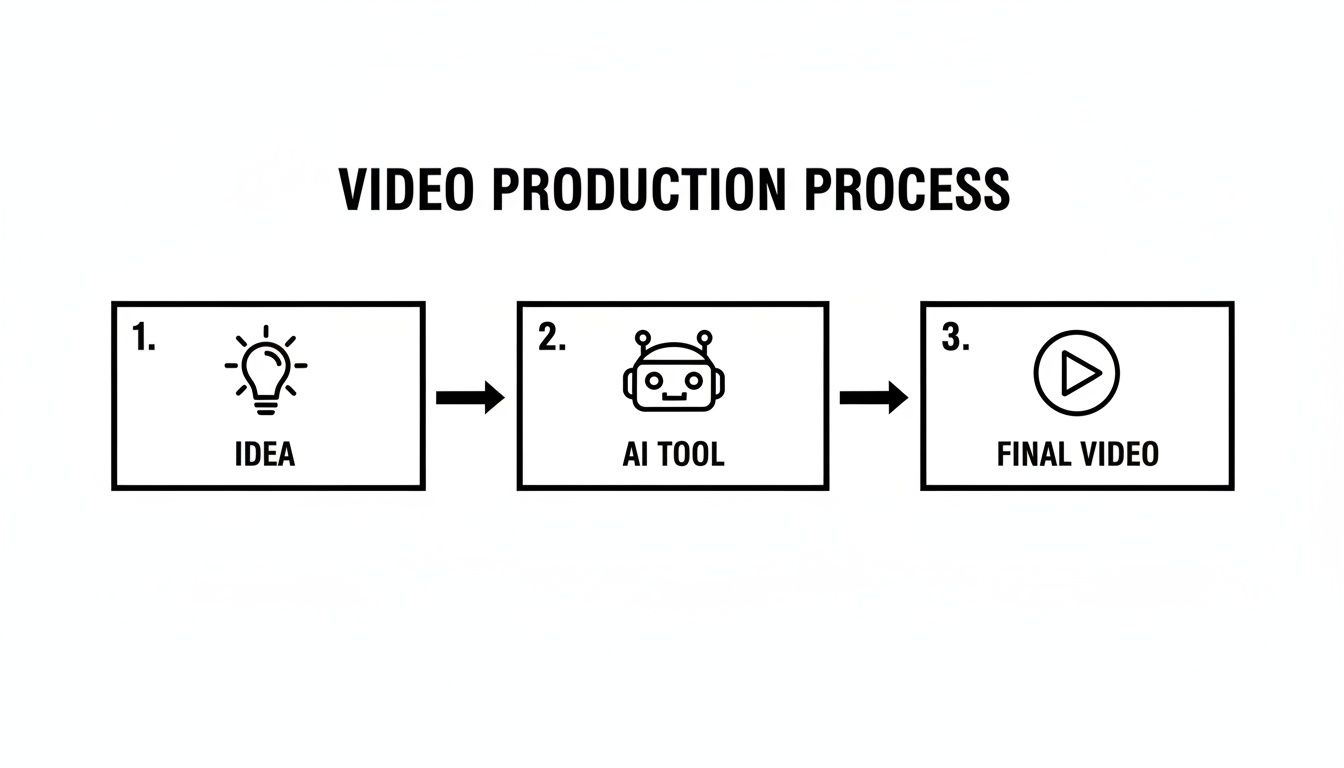
This streamlined path lets you pour all your energy into the creative side of things—the story you want to tell and the message you need to land. The AI handles the heavy lifting on the technical front. In this guide, we'll walk through every step of this new process, giving you a clear roadmap from a rough concept to a polished Sora 2 video example that actually gets results.
Building a Winning Video Blueprint
Before you even think about generating a single frame of AI video, you have to nail down your plan. A powerful tool like the Sora 2 text-to-video generator is only as good as the instructions you feed it. This initial planning phase is all about translating your business goals into a concrete creative strategy, making sure every second of your video serves a purpose.
Your first move is to define one sharp, singular objective. Are you trying to drive immediate sales for a new product on your Shopify store? Or is this about creating a viral-style video to build brand hype on TikTok? If you try to do both at once, you’ll just dilute your message and leave your audience confused.
Key Takeaway: A truly effective promotional video isn't just visually stunning; it's strategically focused. A video built to generate clicks is going to look and feel completely different from one designed to explain a complex feature. Get crystal clear on your goal from the very start.
Know Who You're Talking To
Once your objective is locked in, you need to get inside your audience's head. This is about more than just basic demographics. What do they really care about? What problems keep them up at night? Understanding their pain points is how you create content that actually connects.
For instance, a Sora 2 for TikTok ad for a sustainable coffee brand aimed at Gen Z should probably be packed with fast-paced, eye-catching clips of eco-friendly packaging and ethical sourcing. On the other hand, a promo video for B2B software targeting marketing managers would hit harder with a clear, benefit-driven story that solves a specific workflow headache. This distinction is everything when you're writing Sora 2 prompts.
Scripting for an AI Director
Your script is the absolute core of your blueprint. It’s not just dialogue—it’s a detailed set of instructions for your AI. A framework I've seen work time and time again for promo videos is the Problem-Agitate-Solve (PAS) model. It's direct, simple, and incredibly good at grabbing attention and pushing people to act.
Here’s the breakdown:
- Problem: Kick things off by calling out a pain point your audience knows all too well. You want them nodding in agreement.
- Agitate: Don't just mention the problem; twist the knife a little. Remind them of the frustration, the cost, or the annoyance it causes.
- Solve: Finally, introduce your product or service as the clear, obvious solution to that very problem.
This structure creates a natural narrative that keeps people hooked. When you're ready to get visual, especially for e-commerce, it helps to have a clear process. For a great primer on showcasing your products effectively, check out this guide on How to Create Product Videos: A Simple Step-by-Step Guide.
Turning Your Script into Actionable Prompts
This is where the magic happens. We're going to connect your PAS script directly to Sora 2. Each section of your script becomes the basis for a specific visual prompt. You're basically translating your story into a shot list for the AI.
Let's say you're selling a productivity app. Here’s how you could translate your PAS script into AI-ready Sora 2 prompts:
| Script Stage | Narrative Idea | Example Sora 2 Prompt |
|---|---|---|
| Problem | "Feeling buried under endless to-do lists?" | Close-up shot of a stressed person's face illuminated by a laptop screen covered in sticky notes, cinematic lighting. |
| Agitate | "Important tasks keep slipping through the cracks." | Fast-paced montage of missed deadlines, phone ringing unanswered, papers flying off a desk. |
| Solve | "Our app organizes your entire life in minutes." | A clean, satisfying animation showing a chaotic to-do list transforming into a beautifully organized timeline. |
This process turns a simple script into a powerful visual roadmap for the Sora 2 storyboard generator feature, letting you build out your entire video scene by scene. By defining your goals, knowing your audience, and scripting with intent, you give the AI the precise direction it needs to create a video that doesn't just look good—it gets results.
Directing Your AI Video with Smart Prompts
With a solid script ready to go, it's time to step into the director's chair. This is the fun part, where your blueprint starts to become a real, moving visual. Using a tool like the Sora 2 storyboard generator isn't about writing code; it's about learning to speak a new creative language—the language of AI.
Think of your script as a scene-by-scene guide. Your job is to translate each beat of that story into a precise, descriptive prompt that the AI can understand and build from. This goes way beyond just describing what you want to see. You need to provide the AI with clear instructions for every single visual element.
You're no longer just a writer. You're now the virtual cinematographer, set designer, and lighting technician, all rolled into one. The final quality of your Sora 2 video example will be a direct reflection of how clear and detailed your prompts are.
The Art of AI Prompt Engineering
Prompting is the single most important skill for making great promotional videos with AI. A lazy prompt like "a person using a laptop" will get you a generic, forgettable clip that no one will remember. But a well-crafted, detailed Sora 2 prompt gives you incredible control over the mood, style, and emotional impact of your shot.
To get this right, you have to think in layers. Start with the main subject, then add details about the action, the setting, the lighting, and even the camera work. Each component you add sharpens the AI's focus, bringing its output closer to the vision in your head.
For maximum control, make sure your prompts include these key elements:
- Subject & Action: Be specific about who or what is in the scene and what they’re doing. Instead of "a woman walking," try something like, "a young woman in a red jacket confidently striding down a bustling city street."
- Setting & Environment: Paint a picture of the background. Is it a "minimalist, sun-drenched office" or a "cozy, dimly lit coffee shop at night"? The environment sets the stage.
- Mood & Lighting: Use evocative language to set the tone. Words like "dramatic shadows," "soft morning light," or "vibrant, neon glow" can completely change the feel of a scene.
- Camera Work: This is where you really start directing. Tell the AI what you want the camera to do. Use phrases like "cinematic drone shot," "close-up on the character's determined expression," or "dynamic tracking shot following a runner."
- Artistic Style: Do you want the scene to look "photorealistic," "in the style of an anime film," or like "a vintage 1980s commercial"? Defining the style from the start ensures your video has a consistent look and feel, especially when you use Sora 2 style models.
Building Your Storyboard Scene by Scene
Let's walk through a real-world example. Imagine you're making a promotional video for a Shopify store that sells artisanal, handcrafted leather wallets. The goal is to convey quality, craftsmanship, and a timeless sense of style.
You'll be building out a multi-scene storyboard using Saro2.ai.
Think of each prompt as a mini-brief for a single shot. Your storyboard is simply the collection of these briefs, creating a complete visual narrative that tells your brand's story.
Here's how you can structure your prompts to build that visual story, shot by shot. The key is to break down your prompt into components that control specific visual elements, giving you more precise results.
Sora 2 Prompting Techniques for Promotional Videos
A breakdown of prompt components to control key visual elements in your AI-generated video, helping you craft more precise and effective commands.
| Visual Element | Prompt Component Example | Purpose |
|---|---|---|
| Opening Shot | Extreme close-up, slow-motion shot of a craftsman's hands stitching thick leather, warm workshop lighting, cinematic. | This immediately establishes the theme of craftsmanship. The close-up and slow-motion highlight the incredible detail and care that goes into the product. |
| Product in Context | Medium shot of a stylish man in a tailored suit placing the leather wallet into his jacket pocket, sophisticated urban cafe background. | This shows the product in an aspirational setting. It helps your target customer picture themselves using the wallet, connecting it to a feeling of sophistication. |
| Feature Highlight | Macro shot, the camera slowly pans across the wallet's fine grain and embossed logo, soft, natural light highlighting the texture. | This draws the viewer's eye to a key selling point—the premium material. A macro shot makes the product feel luxurious and tactile. |
| Closing Call-to-Action | Clean, simple animation of the wallet against a white background, with the brand logo and website URL appearing in elegant text. | This gives a clear, direct call-to-action. The minimalist style ensures the final message is uncluttered and easy for the viewer to act on. |
This structured, scene-by-scene method ensures your video flows logically and visually hammers home your core message. Each shot builds on the last, creating a compelling and cohesive story.
From Static Image to Dynamic Video
One of the most powerful features for ecommerce sellers is image-to-video. So many Shopify store owners have fantastic, high-quality product photos but lack the budget or time for a full-blown video shoot. AI gives you an incredible shortcut here.
You can take a static image of your product—like that leather wallet on a clean background—and use a prompt to bring it to life. Just feed the image into the Sora 2 video generator with a prompt like: "The wallet slowly rotates 360 degrees, with sparks of light glinting off the leather."
In seconds, you've turned a flat product photo into an engaging, animated clip. It’s perfect for a TikTok ad or for making your Sora 2 for ecommerce and product videos more dynamic. This is a ridiculously efficient way to create promotional videos that grab attention without the cost and complexity of a traditional video shoot.
Editing Your Video for a Professional Finish
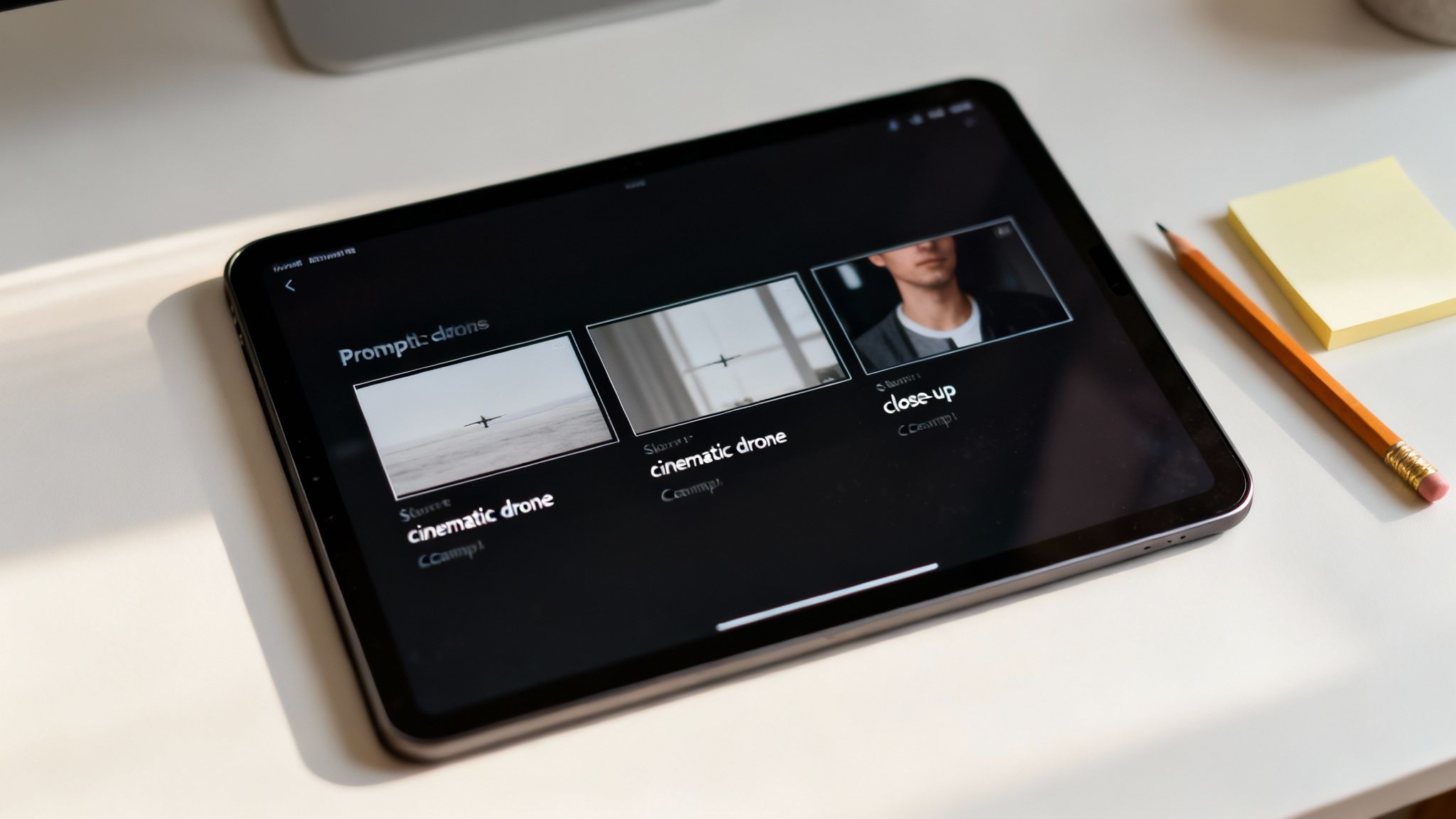
You’ve prompted your way to a collection of incredible, high-quality clips from the Sora 2 text-to-video model. That’s a huge win, but we're not at the finish line just yet. Now comes the part where we assemble those individual scenes into a single, cohesive video that looks and feels truly professional.
This post-production stage is where the real storytelling magic happens. It’s all about nailing the pacing, the flow, and the audio—the details that turn a bunch of clips into a promotional video that actually connects with people. The good news is, you don’t need a Hollywood budget to get this right.
Assembling Your AI-Generated Scenes
First things first, let's stitch those scenes together. Pull all the clips you generated with the Sora 2 storyboard generator into your editing timeline. The idea is to arrange them exactly as you planned in your storyboard, creating a narrative that moves smoothly from one shot to the next.
This is also your chance to get the pacing just right. You'll probably notice some clips are a touch longer than they need to be. Trimming the start or end of a shot—even by half a second—can make a world of difference to the video’s rhythm and help hold your viewer's attention. To get that professional polish, you'll want to explore the best video editing software you can find to finalize your project.
Mastering Sound Design for Impact
Here’s a hard-earned lesson: sound is easily 50% of the video experience. I’ve seen visually stunning Sora 2 video examples fall completely flat because of bad audio. On the flip side, great sound can elevate a good video into something exceptional. You’ll want to focus on three key layers.
- Music: Find a royalty-free track that fits the vibe. Is it an energetic, punchy song for a Sora 2 for TikTok ad? Or something more calm and sophisticated for an ecommerce product page? The music sets the emotional stage.
- Voiceover: If your script has a voiceover, record it with a decent microphone in a quiet room. A clear, crisp voiceover adds a layer of authority and helps walk the viewer through the story you're telling.
- Sound Effects (SFX): These are the little things that make your video feel real. A subtle whoosh as a graphic appears or a satisfying click when a feature is shown can make your video feel much more premium and immersive.
Think of sound design as the invisible glue holding your video together. It’s the element that viewers might not consciously notice, but they’ll immediately feel its absence or poor execution. Don't treat it as an afterthought.
Adding the Finishing Touches
With your video sequence locked and your audio layered in, it's time to add the final graphical elements that reinforce your brand and tell people what to do next.
Start with text overlays to highlight your most important messages. This could be a hook in the first three seconds or a quick list of benefits. Just keep the text short and easy to read, especially since most people will be watching on a phone.
Next, add your brand logo. A small, subtle logo in a corner is usually all you need to build brand recognition without being a distraction. Keeping its placement consistent across all your videos is a pro move that helps build a cohesive brand identity.
Finally, and this is the whole point, include a clear Call-to-Action (CTA). Your CTA needs to be direct and tell the viewer exactly what you want them to do.
A few examples that work well:
- "Shop Now on Our Website"
- "Download Our Free Guide"
- "Follow Us for More Tips"
This final instruction should appear as text on the screen in the last few seconds. By combining your AI-generated clips with thoughtful editing and smart branding, you've created a finished video that’s ready to grab attention and convert.
Getting Your Video Seen by the Right People
So, you’ve used the Sora 2 video generator to create a stunning promotional video. That's a huge step, but the job isn't finished. Honestly, the best video in the world is useless if the right audience never lays eyes on it. This is where a smart distribution plan makes all the difference.
You can't just spray and pray—posting your video everywhere and hoping it sticks. Every platform has its own vibe, its own audience, and its own set of technical rules. A video that absolutely kills it on TikTok might be a total dud on a Shopify product page if you don't adapt your approach.
Optimizing for High-Impact Platforms
To get anywhere, you need a targeted strategy. Let's break down how to get your AI-generated video ready for the platforms that really move the needle for sellers and creators: TikTok, Instagram Reels, and your own Shopify store.
On TikTok and Instagram Reels, the game is all about speed. These platforms are built for vertical videos that have to grab someone's attention in less than two seconds flat. This is where Sora 2 for TikTok ads shines.
Here’s a practical checklist I use:
- Aspect Ratio is King: Always, and I mean always, use a 9:16 vertical format. Anything else looks amateurish because it gets awkwardly cropped and just feels out of place in the feed.
- Ride the Sound Waves: The music you added in your edit is great, but don't stop there. Check out what audio is currently trending on the platform. Layering a popular sound into your video can give you a massive algorithmic boost.
- Write Captions that Hook: Your first line is everything. Keep your captions short and punchy, and use hashtags that are actually relevant to your niche—not just the generic mega-hashtags like #fyp.
- Keep It Brief: Seriously. Aim for 15-30 seconds. People's thumbs are always ready to swipe, so you have to deliver your message immediately.
Boosting Conversions on Your Shopify Store
Putting Sora 2 for ecommerce and product videos on your Shopify product pages is one of the most effective things you can do to drive sales. It gives shoppers a real, dynamic feel for your product in a way static images just can't. In fact, studies show shoppers are up to 85% more likely to buy after seeing a product video.
Placement is critical here. Don't just bury the video at the bottom of the page where no one will see it. Embed it directly into your main product image gallery, maybe as the second or third item. This way, interested customers will find it right as they're exploring.
Unlike TikTok, you have a little more breathing room. A slightly longer video of 30-60 seconds that clearly shows off key features and benefits is perfect for this spot.
A great Shopify product video answers questions before a customer even thinks to ask them. It builds trust and confidence, making the "Add to Cart" button a much easier click.
Tracking What Actually Matters
Once your video is out in the wild, your role shifts from creator to analyst. You need to know what’s working so you can make informed decisions based on data, not just gut feelings. Forget vanity metrics like "likes" and focus on the numbers that directly impact your bottom line.
These are the metrics I live by:
- View-Through Rate (VTR): What percentage of people watched your entire video? A low VTR is a clear signal that your hook failed or your video dragged on for too long.
- Click-Through Rate (CTR): This is simple: how many viewers actually clicked your call-to-action link? It's the most direct measure of whether your video is successfully driving traffic where you want it to go.
- Conversion Rate: For Shopify, this is the holy grail. Of the people who watched the video, how many actually made a purchase?
By keeping a close eye on these numbers, you create a powerful feedback loop. You’ll quickly learn which Sora 2 prompts result in the most engaging visuals, what editing style gets the most clicks, and how to create promo videos that don't just get views—they generate sales. This data-first mindset is what separates amateur attempts from a truly professional and profitable AI video marketing strategy.
Common Mistakes and How to Avoid Them
Jumping into AI video creation is a blast, but it's all too easy to hit a few common roadblocks. I've seen them trip up beginners and even experienced creators time and time again. Knowing what these pitfalls are from the get-go will save you a ton of frustration and help you get to a polished final product much faster.
One of the biggest headaches? Consistency. You’ll generate the perfect shot of your main character, only to have the next prompt spit out their slightly-off-looking cousin. Suddenly, the whole narrative falls apart. Let’s walk through how to fix that and a few other common stumbles.
Don't Be Vague: The Sin of the Generic Prompt
The number one mistake I see is writing lazy, vague prompts. Firing off something like "a person happy with a product" is basically asking for a generic, stock-video-style clip that has zero personality. The Sora 2 text-to-video model is incredibly smart, but it's not a mind reader. You have to give it the details.
The fix is simple: get descriptive. Think like a director.
- Before:
A woman smiling at her new phone. - After:
Close-up shot of a young woman's face, eyes wide with excitement as she unboxes a sleek new smartphone, soft morning light from a window illuminating her joyful expression, cinematic.
See the difference? The second prompt gives the AI clear instructions on the character, the emotion, the lighting, and even the camera angle. That’s how you get a scene with impact.
Keep It Together: Maintaining Visual Consistency
Another huge challenge is making sure your characters and locations look the same from one shot to the next. When they don't, it yanks the viewer right out of the experience. The secret to nailing this is creating what I call a "visual anchor" in your Sora 2 prompts.
Pro Tip: Give your character a name and a few unique, recurring details in every single prompt. For instance, always refer to "Sarah, a woman with bright red glasses and a blue denim jacket." By repeating those identifiers every time, you’re constantly reminding the AI who you want, which dramatically improves consistency.
This works for settings, too. Don't just say "cozy coffee shop." In your follow-up prompts, keep the details alive: "cozy coffee shop with dark wood tables and warm hanging lights." It’s that repetition that keeps your world feeling real.
Don't Forget the Audio: Sound Is Half the Story
Finally, please don't treat audio as an afterthought. It's a mistake that can completely tank an otherwise amazing video. You could have the most breathtaking visuals from a Sora 2 style model, but if you slap a cheap, generic music track on top, the whole thing feels amateur.
Great sound design is what adds the emotional punch. Take the time to find music that genuinely fits the mood you're going for. Sprinkle in subtle sound effects—the click of a button, the rustle of a jacket—to make the world on screen feel tangible. If there's a voiceover, make sure it's clean and professionally recorded. Skipping these steps is like baking a gorgeous cake but forgetting the flavor. It might look great, but it will leave your audience feeling nothing.
Got Questions About AI Video Creation?
Jumping into AI video for the first time usually sparks a lot of questions. I've been there. Let's tackle some of the most common ones I hear, so you can start creating promotional videos with tools like the Sora 2 AI video generator feeling like you've got this.
How Long Should My Promotional Video Actually Be?
This is a classic question, and the answer is always: it depends on where it's going to live.
If you're creating a Sora 2 for a TikTok ad or an Instagram Reel, you’ve got to be fast. We're talking 15-30 seconds, max. Your goal is to stop the scroll and deliver a punchy message before they swipe away.
For a product video on your Shopify store, you have a bit more breathing room. The viewer is already on your turf and interested. A length of 30-60 seconds is often the sweet spot—enough time to highlight the best features and show the product in action without dragging things out.
Can AI Really Make Videos That Look Good?
Oh, absolutely. The game has completely changed. Modern Sora 2 style models are capable of generating stunning, photorealistic clips that look like they came from a high-end camera, all from a few lines of text.
The secret sauce is in your Sora 2 prompt. The quality of your video is a direct reflection of how specific you are. When you clearly describe camera angles, lighting moods, and visual styles, you're essentially directing the AI to produce professional-level footage.
Think of the AI as your very own, incredibly fast production crew. A well-written prompt is your set of director’s notes. It’s not so much about the AI's limitations as it is about how clearly you can communicate the vision in your head.
Do I Need to Be a Tech Whiz to Use a Sora 2 Video Generator?
Not at all, and that’s precisely the point. These tools aren’t built for developers; they're built for people like us—marketers, founders, and creators.
If you can describe a scene in a simple sentence, you already have all the technical skill you need to start. The Sora 2 text-to-video generator is designed to be intuitive. Features like the Sora 2 storyboard generator let you drag and drop scenes into a coherent story without ever touching complex editing software.
Ready to see it for yourself? With Saro2.ai, you can bring your ideas to life in minutes using our powerful Sora-compatible models. Your next viral ad or compelling product demo is just a few clicks away. Explore the Saro2.ai video generator now.