How to Create Explainer Videos with Sora 2 AI
Learn how to create explainer videos that convert using Sora 2. This guide covers scripting, storyboarding, and AI video generation for marketers and brands.
So, you want to create an explainer video with AI. The core idea is deceptively simple: you identify a common problem, introduce your product as the perfect solution using a video generated by a Sora 2 video generator, and then quickly show how it all works. When done right, these short, engaging videos can take a complex idea and make it incredibly easy to grasp, which is exactly why they're such a powerful tool for grabbing attention and boosting sales, especially for ecommerce and TikTok ads.
Your Secret Weapon for Cutting Through the Noise
In a world overflowing with content, explainer videos are how you make your message stick. They’ve moved far beyond being just a "nice-to-have" marketing asset. Today, they're essential. Whether you’re a Shopify store owner trying to showcase a new product or a performance marketer crafting the next viral TikTok ad, AI-generated explainers get the job done faster and more effectively.
Why are they so dominant? Because they connect. By blending a clear story with compelling visuals from a Sora 2 text-to-video model, they make information memorable.
The numbers don't lie. This isn't just a fleeting trend; it’s a fundamental shift in how people want to learn about products. Research from Wyzowl's video marketing statistics shows that a massive 96% of people have turned to an explainer video to understand a product or service. Even more impressive, a staggering 85% said a video was the final nudge they needed to make a purchase.
This lines up perfectly with our shrinking attention spans. Most viewers now agree that videos between 30 seconds and 2 minutes are the most effective—the sweet spot for a classic explainer. It’s no surprise that they are now one of the top two most-created video types by marketers around the globe.
How Sora 2 AI Is Changing the Game
Not too long ago, making a high-quality explainer video was a serious undertaking. It meant big budgets, specialized skills, and long, drawn-out production schedules. You had to hire animators, videographers, and editors, a process that was often too costly and complicated for smaller businesses or solo creators.
Now, AI tools like the Sora 2 video generator have completely rewritten the rules. What used to take a team weeks to accomplish can now be done in a tiny fraction of the time and cost. These platforms empower literally anyone to generate stunning, cinematic-quality video clips from a simple text prompt. You can dream up custom scenes, bring static product images to life, or build out an entire storyboard using a Sora 2 storyboard generator without a single line of code or complex software.
For a TikTok seller, this means churning out a dozen ad variations to test in a single afternoon. For a Shopify store owner, it’s about making your entire product catalog feel dynamic and alive with engaging product videos.
The real advantage of using an AI video generator like Sora 2 is the sheer speed and scalability it offers. You can experiment with different hooks, storylines, and visual aesthetics without the crushing overhead of traditional production. In today's fast-moving markets, that's a massive edge for AI video marketing.
The Anatomy of a High-Impact Explainer
While AI can handle the heavy lifting of production, the creative blueprint for a great explainer video hasn't changed. A successful video is always built on a few core components that work in harmony to grab a viewer's attention and hold it. Getting these fundamentals right is the first step to creating something that doesn't just inform people, but actually convinces them to act.
Before we dive into the step-by-step process, let's break down the essential building blocks.
Key Elements of a Successful Explainer Video
| Element | Purpose | Best Practice |
|---|---|---|
| The Hook | Grabs attention within the first 3-5 seconds by presenting a relatable problem or a surprising statement. | Start with a question or a bold claim that speaks directly to your audience's pain points. |
| The Problem | Clearly defines the challenge or frustration your target audience faces, building empathy and setting the stage. | Use AI-generated visuals that show the problem in action, making it tangible and easy to understand. |
| The Solution | Introduces your product or service as the clear and simple answer to the problem. | This is your "aha!" moment. Introduce your brand and product name clearly. |
| How It Works | Briefly demonstrates the key features or the process in 2-3 simple steps, focusing on benefits, not just features. | Use screen recordings, animations, or AI-generated scenes from Sora 2 prompts to visualize the process. |
| Call-to-Action (CTA) | Tells the viewer exactly what to do next, whether it's visiting a website, downloading an app, or making a purchase. | Make it direct and urgent, such as "Start Your Free Trial Today" or "Shop Now." |
Nailing these five elements gives you a solid foundation. They provide the narrative structure that guides your viewer from curiosity to conversion.
Building Your Explainer Video Blueprint
Every great video starts long before you hit "generate." Before you even dream of prompting the Sora 2 text-to-video model, you need a solid blueprint. This is the foundational work—the concept and the script—that ensures your final video actually does its job.
Think of it like building a house. You wouldn't just start throwing up walls without a plan. Here, your plan hinges on two make-or-break questions: who are you talking to, and what problem are you solving for them? Nailing this is the difference between a video that gets scrolled past and one that converts.
Nailing Your Audience and Their Pain Points
This is where it all begins. Your audience determines everything—the tone of your script, the words you choose, the visual style. And "small business owners" is way too broad. We need to get specific.
Are you trying to catch the eye of a TikTok shopper mindlessly scrolling their feed? Their pain point is probably boredom or the fear of missing out on the next cool thing. Or maybe you're talking to a media buyer who is sick and tired of clunky, inefficient ad creation tools. Their pain point is wasted time, money, and a whole lot of frustration.
Once you know exactly who you're talking to and what keeps them up at night, your message can hit home.
- For Sora 2 for TikTok ads: Your audience has a 3-second attention span and a healthy dose of skepticism. They need instant visual proof. Your script has to be fast, punchy, and get straight to the good stuff.
- For Sora 2 for ecommerce and product videos: These folks are looking for quality and answers. Their pain point is uncertainty—will this product actually work as advertised? Your script should be clear, build trust, and answer questions before they're even asked.
- For Performance Marketers: This is an analytical crowd. Their biggest pain point is a bad ROI. Your script needs to cut the fluff and focus on efficiency, data, and how a tool like Sora 2 makes their job easier and more profitable.
Structuring a Script That Actually Works
With your audience and their problem locked in, you can now craft a narrative that grabs them and doesn't let go. The most reliable structure I've seen over the years is the classic Problem-Solution-Benefit framework. It’s a simple but incredibly powerful formula that just works.
It guides the viewer through a logical journey that makes your pitch feel natural, not pushy. This flow is the secret sauce behind almost every marketing video that gets results.
This flowchart breaks down that exact process.
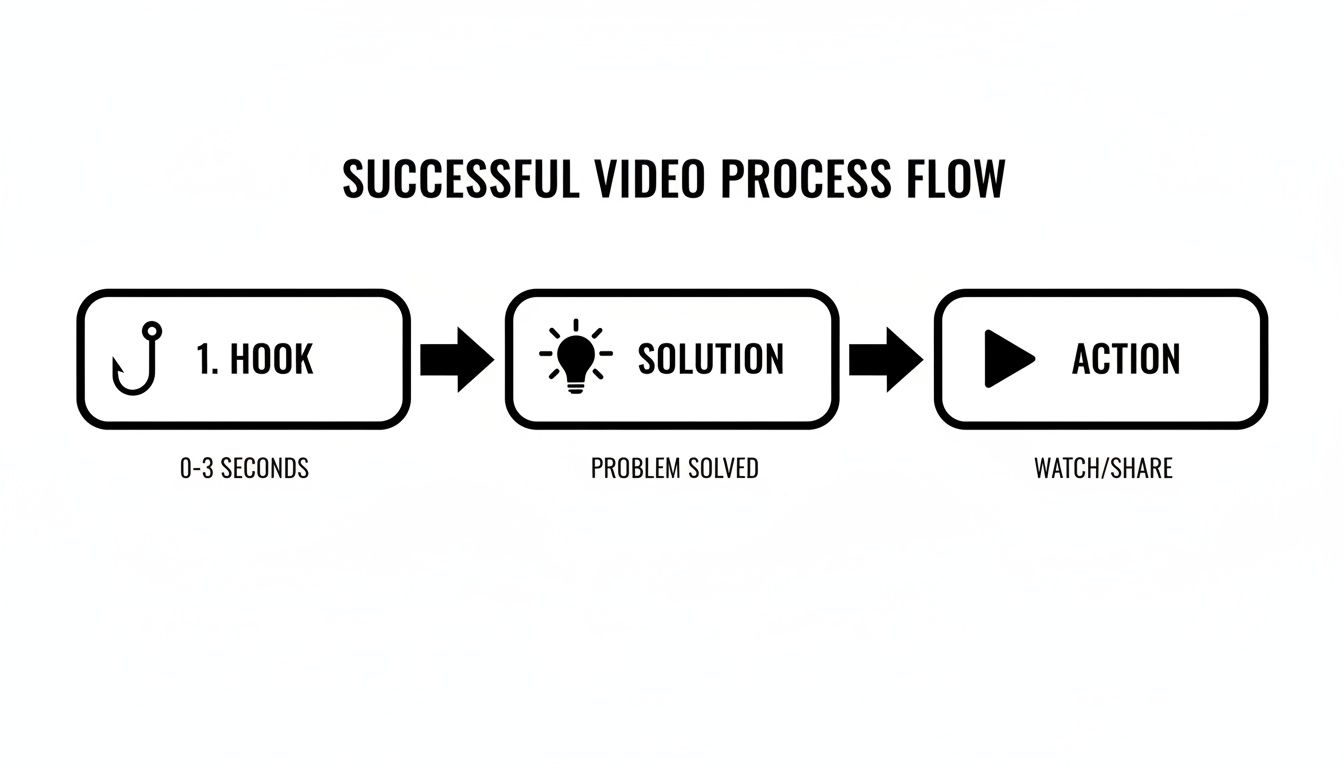
As you can see, you start with a powerful Hook, present the Solution as the answer, and finish with a clear Action. It’s that simple.
- The Problem (Your Hook): You have about 3-5 seconds to grab someone. Hit them with their pain point right away. Show them you understand their frustration. Make it relatable and immediate.
- The Solution: Here’s where you swoop in as the hero. Clearly and simply introduce your product or service as the perfect answer to the problem you just laid out.
- The Benefit (How it Works): This isn't about listing features; it's about translating features into benefits. Don’t just say what it does, show how it makes the customer's life better, easier, or more profitable.
- The Call-to-Action (CTA): Don't be shy. Tell them exactly what to do next. "Shop Now," "Learn More," "Start Your Free Trial"—be direct and make it dead simple for them to take the next step.
A pro tip: Keep it tight. Aim for roughly 150 words per minute of video. That means a 60-second spot has a script of just 150 words. Every single one has to earn its place. Always read your script out loud. If it feels awkward or clunky to say, it'll be even worse for your viewers to hear. Rewrite it until it flows naturally.
Visualizing Your Story with an AI Storyboard Generator
Once your script is locked in and razor-sharp, it's time to bring it into the visual world. This is where the storyboard comes in—it's your blueprint, mapping out every single shot of your explainer video. In the past, this meant you either needed some serious drawing skills or had to wrestle with clunky software. Not anymore.
These days, you can turn your script into a full-fledged visual plan using a tool like the Sora 2 storyboard generator. It’s built to create multi-scene videos right from your text prompts, essentially turning you from a writer into a hands-on director.
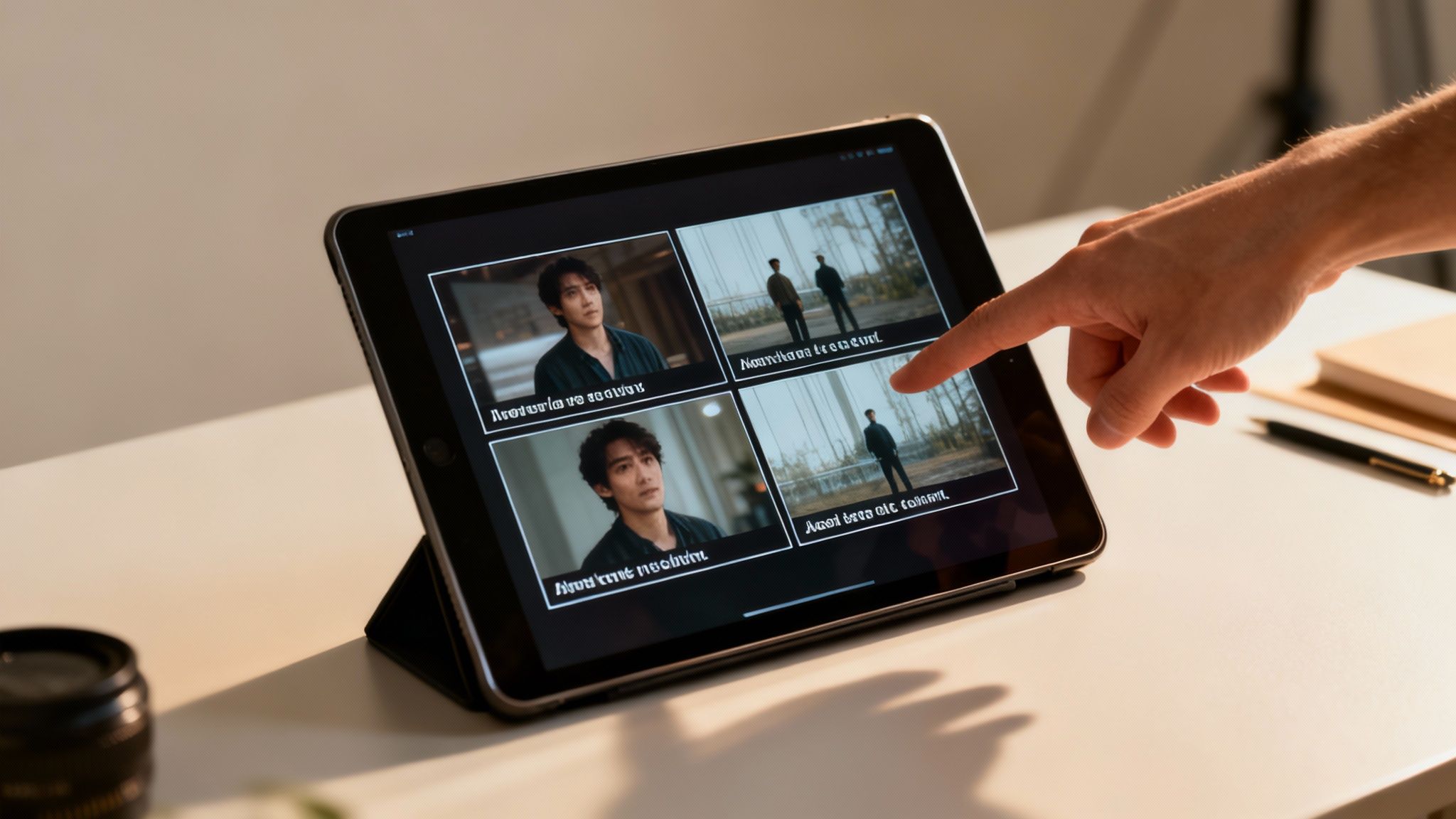
Breaking Down Your Script into Scenes
First things first, you need to dissect your script. Read through it and pinpoint every key visual moment. Any time the location, character, or primary action shifts, that's your cue for a new scene. A tight, 60-second script usually breaks down into about 5-10 distinct scenes.
Let’s say you’re making a video for a new productivity app. Your script breakdown might look something like this:
- Scene 1: Show a remote worker, totally stressed out and buried under a mountain of digital files.
- Scene 2: The app’s clean logo and interface pop up on a laptop screen.
- Scene 3: A quick, dynamic shot of the app's drag-and-drop organization feature in action.
- Scene 4: Cut back to the same worker, but now they're calm, organized, and sipping a coffee.
This simple breakdown gives you a clear shot list, which is the raw material you'll use to write your AI prompts. Each scene becomes its own self-contained instruction for the Sora 2 AI.
Crafting Effective Sora 2 Prompts for Each Shot
Writing good prompts is more of an art than a science, but it’s one you can get the hang of pretty quickly. Your goal is to be descriptive enough to get what you want without bogging the AI down with confusing details. A solid prompt for the Sora 2 text-to-video engine always covers the subject, action, environment, and overall visual style.
Put on your director’s hat. Instead of just writing "a person working," you need to paint a picture:
"Medium shot of a woman with glasses, looking slightly overwhelmed at her messy home office desk, laptop screen glows, soft morning light from a window. Cinematic, shallow depth of field."
See the difference? That one sentence tells the AI everything it needs to know about the character, mood, setting, and even the camera work. These details are key for effective Sora 2 prompts.
You can also tailor your prompts for specific platforms:
- For Sora 2 for ecommerce and product videos: Think clean, professional, and product-centric. Use terms like "studio lighting," "minimalist background," "slow-motion," and "macro shot" to get that polished, high-end commercial look.
- For Sora 2 for TikTok ads: Here, you need to grab attention instantly. Your prompts should be loaded with words like "fast-paced," "energetic," "vibrant colors," and "quick cuts." You’ll also want to specify a vertical aspect ratio to generate clips that feel native to the feed.
Maintaining Visual Consistency Across Your Video
One of the biggest hurdles with AI-generated video is making sure all your scenes look like they belong in the same universe. A video that jumps between completely different visual styles is jarring and feels unprofessional.
The key is to use Sora 2 style models by creating a mini "style guide" for your prompts. This just means you’ll reuse specific descriptive words across all of them to keep things cohesive.
Here’s how to lock in a consistent look and feel:
- Define Your Aesthetic: Decide on an overall style right from the start. Is it "photorealistic, cinematic"? Or maybe "flat 2D animation, playful"? Or "vibrant, futuristic"? Whatever you choose, bake those keywords into every single prompt.
- Describe Your Character: If you have a main character, describe them consistently. Always include details like "short brown hair, wearing a blue jacket" to help the AI remember and recreate their appearance from scene to scene.
- Control the Color Palette: You can guide the color scheme with your prompts. Adding phrases like "warm color palette" or "cool blue and grey tones" goes a long way in creating a consistent mood.
By carefully breaking down your script and writing detailed, consistent prompts, you're not just making a storyboard; you're creating a solid, professional blueprint that sets you up perfectly for the next step: generating the actual video clips.
Bringing Your Scenes to Life with Sora 2 AI
Okay, your storyboard is locked in, and now for the fun part: actually making the video. This is where your concepts and scripts jump off the page and become real, moving scenes. Forget about scouring stock footage sites for hours or shelling out for an animator. We're going to use a tool like the Sora 2 video generator to do the heavy lifting.
The real magic here is its text-to-video capability. You're essentially feeding the AI the detailed prompts you worked so hard on during the storyboarding phase, telling it exactly what to build from scratch. All that specificity you added—the mood, the style, character details, camera angles—is about to pay off. This is your moment to play director.
Getting the Perfect Scene from Sora 2
Think of every prompt as a direct command to your production crew. The more descriptive and vivid you are, the closer the AI will get to what's in your head. Don't be afraid to try a few different ways of saying the same thing to see what gets the best results from your Sora 2 prompts.
Here are a few tips I've picked up for writing effective prompts:
- Lead with the style. Always start by telling the AI what kind of look you're going for. Is it "cinematic, photorealistic" or more like a "flat design animation, minimalist"? Nail this down first, as it sets the tone for everything else.
- Paint a picture of the environment. Go beyond just "an office." Try something like, "a modern sunlit office with large windows overlooking a bustling city, plants on the windowsill." Sensory details make a huge difference.
- Be clear about action and emotion. State exactly what's happening and how the subject feels. For instance, "a young entrepreneur smiling confidently while presenting a graph on a digital whiteboard."
This whole AI-driven approach isn't just a creative novelty; there's serious money behind it. The global market for this kind of software was valued at around US$6.4 billion in 2023 and is on track to explode to nearly US$26.3 billion by 2033. What does this mean for you? Professional explainer videos that once easily cost five figures can now be produced for under US$3,000. That's a massive shift, opening the door for smaller businesses to finally compete. You can dig into more of this data over at DataHorizzon Research.
Animating Your Products with Image-to-Video
If you're running a Shopify store or any e-commerce brand, the image-to-video feature is a true game-changer. It lets you take your standard, static product photos and animate them into eye-catching little videos for your product pages or social media ads. This is a core feature of Sora 2 for ecommerce and product videos.
Let's say you sell handcrafted leather wallets. You've got a great, high-res photo of one on a clean background. You can upload it and give the AI a simple prompt.
Sora 2 Video Example Prompt: "Animate this image of a leather wallet. Have it slowly rotate 360 degrees to show the texture and stitching. The lighting should be warm and professional, like in a luxury commercial. End with the wallet opening slightly to reveal the card slots inside."
Just like that, a boring product shot becomes a dynamic showcase. Customers can see the quality and features in a way a static image could never convey. It's an incredibly powerful way to make your products pop in a very crowded online world.
A/B Testing Your Way to Better Ads
One of the biggest wins with an AI video generator is how fast you can crank out variations of a scene. For anyone in performance marketing or running social ads, this is pure gold for A/B testing. This AI video marketing strategy is essential for platforms like TikTok.
Instead of guessing what your audience wants, you can test it. Generate a few different versions of that crucial opening hook and see which one gets the most engagement.
- Variation A (The Problem): "A frustrated business owner buried under a mountain of paperwork, looking stressed."
- Variation B (The Brand): "A sleek, animated logo of the productivity app appears, glowing with a soft, inviting light."
- Variation C (The Benefit): "A calm and smiling remote worker effortlessly organizing digital files with a simple drag-and-drop motion."
Making these three distinct hooks might take you ten minutes with Sora 2. With a traditional workflow, you’d be looking at days of work and a much bigger budget. By testing different visual hooks, you get hard data on what truly grabs people's attention, letting you optimize your ad spend and seriously boost your campaign's ROI. This is the kind of speed and flexibility that gives you a massive creative edge.
Assembling and Polishing Your Final Video
Alright, you've used the Sora 2 text-to-video model to generate a folder full of incredible-looking clips. Now it's time to put on your editor's hat. This is where the real magic happens, transforming those individual scenes into a single, cohesive story that flows perfectly. Post-production is what elevates a collection of cool AI clips into a professional marketing tool.
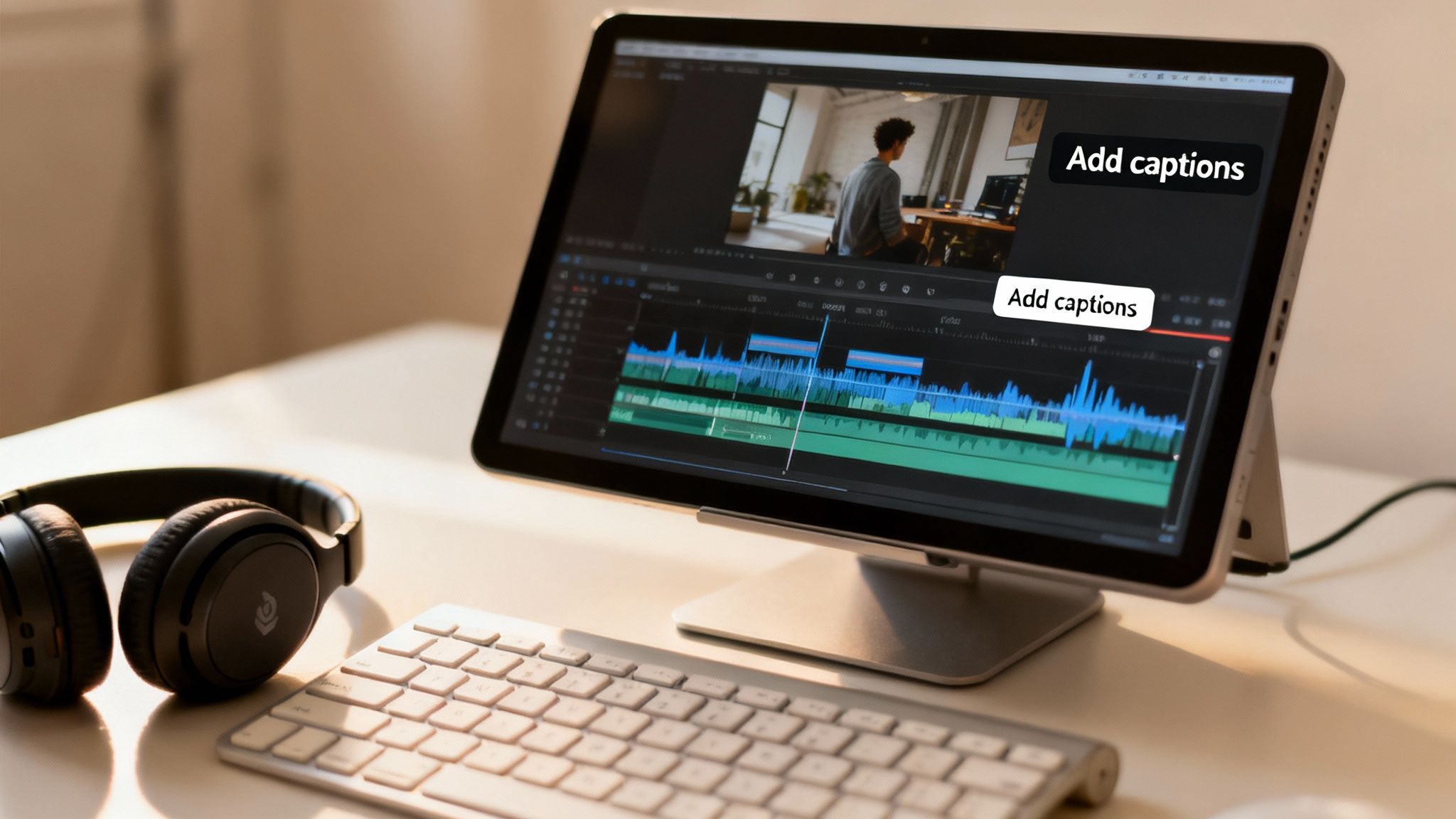
The first thing to do is get everything onto a timeline in your video editor. Whether you're using a free tool or a professional suite, the process is the same: lay out your Sora 2 clips in the exact order you mapped out in your storyboard.
As you do this, pay close attention to the pacing. You’re not just dropping clips next to each other; you’re building a rhythm. Does the video build momentum? Does the transition from the "problem" scene to your "solution" scene feel impactful? This is where your director's vision truly comes to life.
Adding a Powerful Audio Layer
Visuals are just one piece of the puzzle. The right audio—a crisp voiceover and the perfect music track—is what makes a video memorable.
Your voiceover needs to be clean. Find a quiet room, use a decent microphone, and speak clearly. The tone is everything here; it should perfectly match your brand's personality. If you're making a high-energy TikTok ad, bring that excitement. If it's a technical tutorial, a calm, reassuring voice works best. The goal is to sync your words with the action on screen.
Next up is the background music, which is your secret weapon for setting the mood.
- For a Sora 2 for ecommerce video, think light and positive. An upbeat track can make your product feel instantly more appealing.
- For a B2B software explainer, go for something more subtle and professional. The music should convey trust and competence without being a distraction.
A crucial pro-tip: always duck the music volume when the voiceover is playing. Your message must come through loud and clear. Nothing is worse than a narrator fighting to be heard over an epic symphony.
The Finishing Touches That Drive Engagement
With your clips and audio locked in, it’s time to add the final polish. These small details are often the difference between a video that gets skipped and one that gets shared.
First and foremost: text overlays and captions. This is non-negotiable. A huge number of people watch social media videos with the sound off, so captions are your only way to guarantee your message is received. They also make your content more accessible and have been proven to keep people watching longer.
Remember, the average viewer decides whether to keep watching in the first 3-5 seconds. Adding a bold, attention-grabbing text hook right at the beginning can dramatically reduce scroll-away rates on platforms like TikTok and Instagram.
This is also your chance to add your branding. A subtle logo watermark in the corner reinforces who you are. Use text overlays to highlight key points or calls-to-action, sticking to your brand’s fonts and color palette to keep everything looking consistent.
Finally, think about your transitions. A simple cut from one scene to the next is often all you need, but a smooth fade or a creative wipe can help bridge different ideas or signal a change in the narrative. You want the viewer’s journey between your Sora 2 scenes to feel completely effortless.
Once these final touches are in place, you’ve officially turned a folder of AI-generated clips into a polished, platform-ready explainer video.
Getting Your Video Seen: A Guide to Smart Distribution
You’ve poured your heart and soul into creating a killer explainer video with Sora 2. That's a huge accomplishment, but it's only half the battle. A brilliant video that nobody sees won't move the needle. The real magic happens when you get it in front of the right people, turning your creative work into a tool that genuinely grows your business.
This isn't just about hitting the "upload" button. You have to think strategically. Every platform is its own unique ecosystem with different audiences and technical quirks. A gorgeous, high-res video that shines on your Shopify product page will likely flop as a fast-and-furious TikTok ad. Winning means tailoring your video for each specific channel.
Don't underestimate the impact of getting this right. There's a reason explainer videos are so popular—they deliver a measurable return. The data is pretty clear: 93% of video marketers say explainers have boosted user understanding. Even better, 85% of people say they’ve been convinced to buy a product after watching one. When you nail your distribution, you’ll see better conversions, higher engagement, and fewer customer support tickets. For a deeper dive into these stats, check out the analysis over at Levitate Media.
Dialing in Your Export Settings for Every Channel
Before your video goes live, you need to export it properly. Trying to use one file for every platform is a recipe for disaster. Each one has its own ideal settings for aspect ratio, resolution, and file type that make the difference between looking professional and looking broken.
Sora 2 for Ecommerce & Product Pages: Quality is king here. You want a 16:9 widescreen aspect ratio and the highest resolution you can manage, ideally 4K or 1080p. This is where potential customers are looking closely at your product, so make sure it looks sharp and polished.
Sora 2 for TikTok Ads & Instagram Reels: Welcome to the vertical world. You absolutely have to export in a 9:16 aspect ratio. Attention spans are short, so a smaller file that loads instantly is crucial. 1080x1920 is the gold standard, giving you a great balance of quality and speed.
General Social Feeds (Facebook, LinkedIn): The square 1:1 aspect ratio is your safest bet for general news feeds, as it looks great on both desktop and mobile. An export at 1080x1080 is perfect for these placements.
The Art of the Title and Thumbnail
Your video's title, description, and thumbnail are its virtual storefront. They're what convinces someone to stop scrolling and actually click play.
Think of your thumbnail as a mini-movie poster. It needs to be bright, clear, and grab attention instantly. A smiling face or a dynamic shot of your product in use often works wonders. I also like to add a bold text overlay that teases the value inside, something like "The 5-Minute Fix" or "Finally Get Organized."
When writing your title and description, put yourself in your customer's shoes. What terms would they be searching for? Ditch a boring title like "Product Explainer" and go for something that highlights a benefit, like "How to Master Your Workflow in Under 60 Seconds." In the description, briefly outline the problem your video solves, and never forget a clear call-to-action (CTA) with a link. On platforms like Instagram and TikTok, throw in relevant hashtags to help new people discover your content.
Pro Tip: Don't stop at one video. If you're running ads, the real power is in repurposing. Take that main 60-second explainer and slice it into several shorter ad variations. Test the first three seconds as a standalone hook. Create a 15-second version that focuses on just one key benefit. This lets you test what really clicks with your audience without having to go back and create entirely new videos from scratch.
Common Questions About Making Explainer Videos with AI
Jumping into AI video creation for the first time? It's natural to have a few questions. I've worked with tools like the Sora 2 video generator since they first came out, and here are the answers to the questions I hear most often from fellow marketers and creators.
How Long Should an Explainer Video Actually Be?
It's a classic balancing act. You need to give enough detail, but you can't afford to lose your audience's attention. From what I’ve seen work best, the sweet spot for most platforms is 60 to 90 seconds.
That short window gives you just enough runway to hook them with a problem, present your product as the hero, and hit them with a clear call-to-action before they scroll away. If you're breaking down a really complex B2B service, you might be able to stretch it to two minutes, but always aim for brevity. Less is almost always more.
Can I Use My Own Product Photos to Make a Video?
Yes, absolutely! This is probably one of the most practical uses for e-commerce brands. The image-to-video function in Sora 2 is built for exactly this purpose.
You just upload a clean, high-res photo of your product and give the AI a text prompt to tell it what to do. Suddenly, your static Shopify images become dynamic ads. It’s perfect for showing off key features or just making your product look incredible in a social feed.
Here’s a Sora 2 prompt example: "Animate this product photo of a smartwatch. Make the screen light up with a colorful watch face, and then have the watch slowly rotate to show the side buttons. I want clean, bright studio lighting."
How Do I Keep My Character Looking the Same in Every Scene?
Getting a consistent character across different AI-generated clips is a big hurdle for a lot of people, but it’s solvable. The trick is to be almost ridiculously specific in your Sora 2 prompts and use consistent style models.
You can't just ask for "a man." You have to describe him down to the details. For every single scene in your Sora 2 storyboard generator, you need to repeat that detailed description. Think something like: "a man in his late 20s with messy brown hair, wearing a blue denim jacket and round glasses." Using that exact same phrase every time is your best bet for consistency.
What’s This Going to Cost Me?
This is the best part. Using AI completely changes the cost equation. A professionally produced explainer video can easily set you back thousands of dollars, which is a non-starter for most small businesses or startups.
With an AI tool, you're looking at a subscription cost, not a massive per-project invoice. This makes it a powerful Sora 2 alternative to traditional video production. It means you can produce a whole library of high-quality videos for a tiny fraction of what just one would have cost traditionally. It frees up your budget to actually promote the video instead of just making it.
Ready to create stunning explainer videos in minutes, not weeks? With saro2, you can turn your ideas into cinematic-quality scenes using advanced Sora-compatible models. Generate videos from text, animate your products, and build entire storyboards with ease. Start creating for free today at https://saro2.ai.